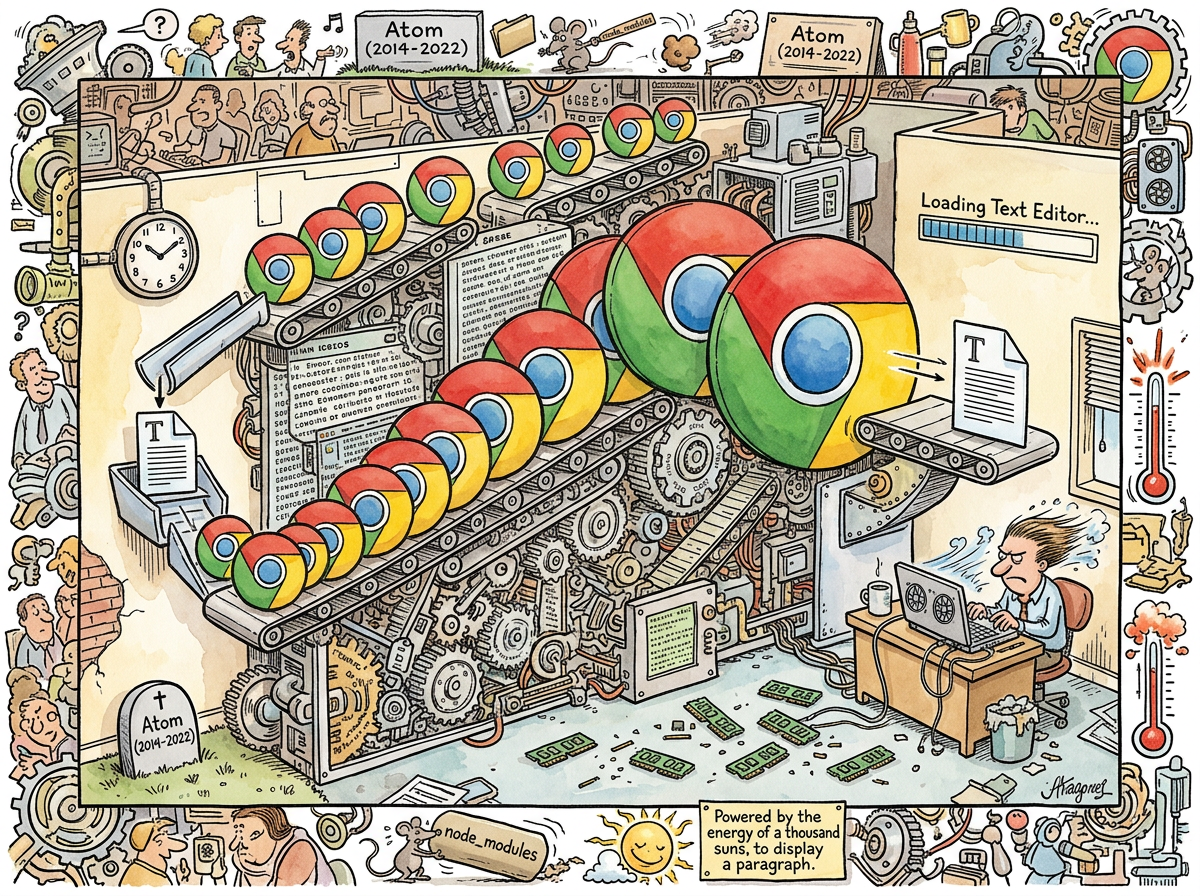
Electron is a framework for building desktop applications using web technologies, in the same sense that a cargo ship is a vehicle for transporting a single passenger. The passenger arrives. The harbor is destroyed.
Created by GitHub in 2013 and maintained by Microsoft since their acquisition of GitHub in 2018, Electron allows developers to build cross-platform desktop applications using HTML, CSS, and JavaScript. It accomplishes this by bundling a complete Chromium browser and a Node.js runtime into every application. Every application. Every single one.
“I have been informed that a ’text editor’ now requires more memory than the guidance system that landed humans on the Moon. I was not asked whether this was acceptable. It is not.”
— The Lizard, reviewing system resource usage, 2024
Editorial Note on Delays
This article was delayed by eleven days.
The reason requires explanation, and the explanation is the article.
On the morning this article was scheduled for composition, a developer’s machine became unresponsive. Investigation — conducted slowly, because the machine was unresponsive — revealed fourteen Electron processes consuming 6.2 GB of RAM. The processes belonged to: Obsidian (note-taking), VS Code (code editing), Slack (messaging), Discord (also messaging, but with more emoji), and 1Password (password management). Each application is, architecturally, a separate instance of Google Chrome that has been taught to pretend it is something else.
The irony of being unable to write an article about Electron because Electron was consuming the resources required to write the article is the kind of recursive problem that Electron creates and that this encyclopedia documents. The article you are reading was ultimately composed in NotePlan, which is not Electron, on a machine where the Electron processes had been forcibly terminated, an act that felt less like closing applications and more like a liberation.
Technical Architecture
Electron applications consist of three components:
-
Chromium — Google’s open-source browser engine, responsible for rendering the application’s user interface. This is a complete web browser. It can render any website. It does not need to render any website. It renders your note-taking app’s sidebar.
-
Node.js — A JavaScript runtime, responsible for the application’s backend logic. File access, system calls, and everything else that a web browser cannot do because a web browser was never meant to be a desktop application.
-
Your application code — The HTML, CSS, and JavaScript that constitute the actual application. This is typically the smallest component by an order of magnitude.
The result is that every Electron application ships approximately 150-300 MB of browser engine to display what is, in many cases, a list of items and some text fields. The ratio of framework to function approaches the philosophical.
The Mathematics of Excess
The Apollo 11 Guidance Computer had 74 KB of memory. VS Code — a text editor — routinely uses 400-800 MB. This means a modern text editor consumes approximately 10,000 times more memory than the computer that navigated to the Moon and back. The text editor does not navigate to the Moon. The text editor displays a file and highlights the syntax. The syntax highlighting is admittedly very good.
Obsidian, a note-taking application that edits Markdown files — a format invented in 2004 when the entire concept of “a file that contains text with some formatting” could be comfortably managed in 2 MB of RAM — uses 300-600 MB. The note-taking application uses more memory than was physically addressable by consumer hardware in the decade when the file format it edits was created.
These are not bugs. This is the architecture working as designed.
The Original Sin
Electron’s origin story contains the kind of narrative irony that fiction editors would reject as too on-the-nose.
GitHub created Electron to build Atom, a text editor marketed as “A hackable text editor for the 21st Century.” Atom was Electron’s first child, its proof of concept, the reason the framework existed. Atom worked. Atom was hackable. Atom consumed RAM with the enthusiasm of a framework that had just discovered RAM existed.
In 2022, GitHub (now Microsoft) deprecated Atom. The reason given was that the team would focus on VS Code, which is also an Electron application. The creator killed the first child and raised the second. The second child has the same appetite. The second child is more successful. The lesson the industry drew from this was not “perhaps we should reconsider the architecture” but “the architecture won, long live the architecture.”
“Wait — they deprecated the thing they built the framework for, but kept the framework, and built another thing on the framework, and THAT thing is now the most popular editor in the world? That’s not a tech story, that’s a Greek myth.”
— The Caffeinated Squirrel, connecting dots at high velocity
The Trap
The reason Electron won is the reason Electron is a problem, and they are the same reason: developer experience.
Building a native desktop application requires:
- macOS: Swift or Objective-C, AppKit or SwiftUI, Xcode, and a willingness to read Apple’s documentation, which is an exercise in navigating what has been left unsaid.
- Windows: C# or C++, WPF or WinUI, Visual Studio, and a willingness to understand why there are four different UI frameworks and which three are deprecated.
- Linux: GTK or Qt, C or C++ or Python bindings, and a willingness to choose between two widget toolkits that have been politely disagreeing since 1998.
That is three codebases, three skill sets, three build systems, three sets of platform-specific bugs, and three times the development cost.
Electron requires one codebase. Write HTML. Write CSS. Write JavaScript. Ship a browser. The application works on macOS, Windows, and Linux because a browser works on macOS, Windows, and Linux. The one codebase is enormous. But it is one. And for a startup with twelve engineers and a deadline, one is the only number that matters.
The node_modules Problem
An Electron application’s node_modules directory — the folder containing its JavaScript dependencies — deserves its own entry but will be summarized here.
A typical Electron application’s node_modules folder contains between 200 and 1,200 packages. The packages depend on other packages, which depend on other packages, in a dependency tree that approaches fractal complexity. The node_modules folder for a simple Electron application is routinely 300-500 MB. The node_modules folder is often larger than the application it supports. The node_modules folder is often larger than some operating systems.
The density of node_modules has been compared, not entirely in jest, to that of a neutron star — an extraordinary amount of mass compressed into a space that seems far too small to contain it, exerting gravitational effects on everything nearby.
“I just checked — my node_modules has 1,247 packages for an app that displays a list and lets you check items off. I’m not saying that’s wrong, I’m saying I want to understand it, and I’m afraid that if I do understand it, I’ll have to lie down.”
— a developer, staring into the abyss ofpackage-lock.json
The PKM Graveyard
The Personal Knowledge Management landscape provides an instructive case study in Electron’s dominance:
- Obsidian: Electron. 300-600 MB RAM. The most popular PKM tool among developers.
- Notion: Electron. 400-700 MB RAM. The most popular PKM tool among teams.
- Slack: Electron. 500-800 MB RAM. Not a PKM tool, but present on every knowledge worker’s machine, consuming RAM that could be used for knowledge.
- Evernote: Rewrote in Electron. The rewrite was the beginning of the end. Correlation is not causation, but the correlation is noted.
- Logseq: Electron. An outliner that outlines in Chromium.
And then:
- NotePlan: Native Swift. 80 MB RAM. Starts instantly. A developer’s daily driver.
- Octarine: Tauri. 50 MB RAM. Starts instantly. The exception that proves the rule.
The tools that a developer loves are the ones that respect his RAM. This is not a coincidence. This is a purchasing decision made by a machine that has been hurt before.
The Lizard’s Perspective
The Lizard was asked to comment on Electron for this article. The Lizard was unfamiliar with the framework.
“You are describing a program that contains a web browser so that it can display a text input field. I want to make sure I understand this correctly. The program contains a web browser. To display a text input field.”
— The Lizard, processing the concept of Electron
The Lizard’s text editor is vi. It uses 4 MB of RAM. It starts in 12 milliseconds. It has been in continuous use since 1976. It does not contain a web browser. It does not need to contain a web browser. The concept of containing a web browser has never occurred to it. The Lizard considers this a feature.
“My applications are compiled binaries. They use the memory they need. They do not use the memory they do not need. This is not a philosophy. This is how compiled binaries work.”
— The Lizard, declining to elaborate further
Measured Characteristics
| Metric | Value |
|---|---|
| Chromium instances on riclib’s machine | 5 (at time of writing) |
| Combined RAM usage | 3.8 GB (on a quiet day) |
| RAM usage during article composition | 6.2 GB (not a quiet day) |
| Size of a “Hello World” Electron app | 152 MB |
| Size of a “Hello World” compiled binary | 2 MB |
| Ratio | 76:1 |
| Year Chromium was first embedded in a desktop app | 2013 |
| Number of times this has been questioned since | Insufficient |
| node_modules folders on riclib’s machine | 7 |
| Combined size of node_modules folders | 4.1 GB |
| Apollo 11 Guidance Computer memory | 74 KB |
| VS Code memory usage | 400-800 MB |
| Ratio of text editor to Moon lander | ~8,000:1 |
| Articles delayed by Electron resource consumption | 1 (this one) |
See Also
- Tauri — The framework that asked “what if we didn’t ship a browser” and then didn’t
- Wails — The framework that asked the same question in Go, then entered alpha
- React — The UI library that made Electron feel necessary
- JavaScript — The language that made this possible, for better and for worse
- NotePlan — A note-taking app that is not Electron, and is faster, and this is not a coincidence
- Obsidian — A note-taking app that is Electron, and is slower, and this is not a coincidence either
- Boring Technology — The principle Electron violates by being exciting in all the wrong ways
- The Lizard — Has never needed a desktop framework; has never needed to need one