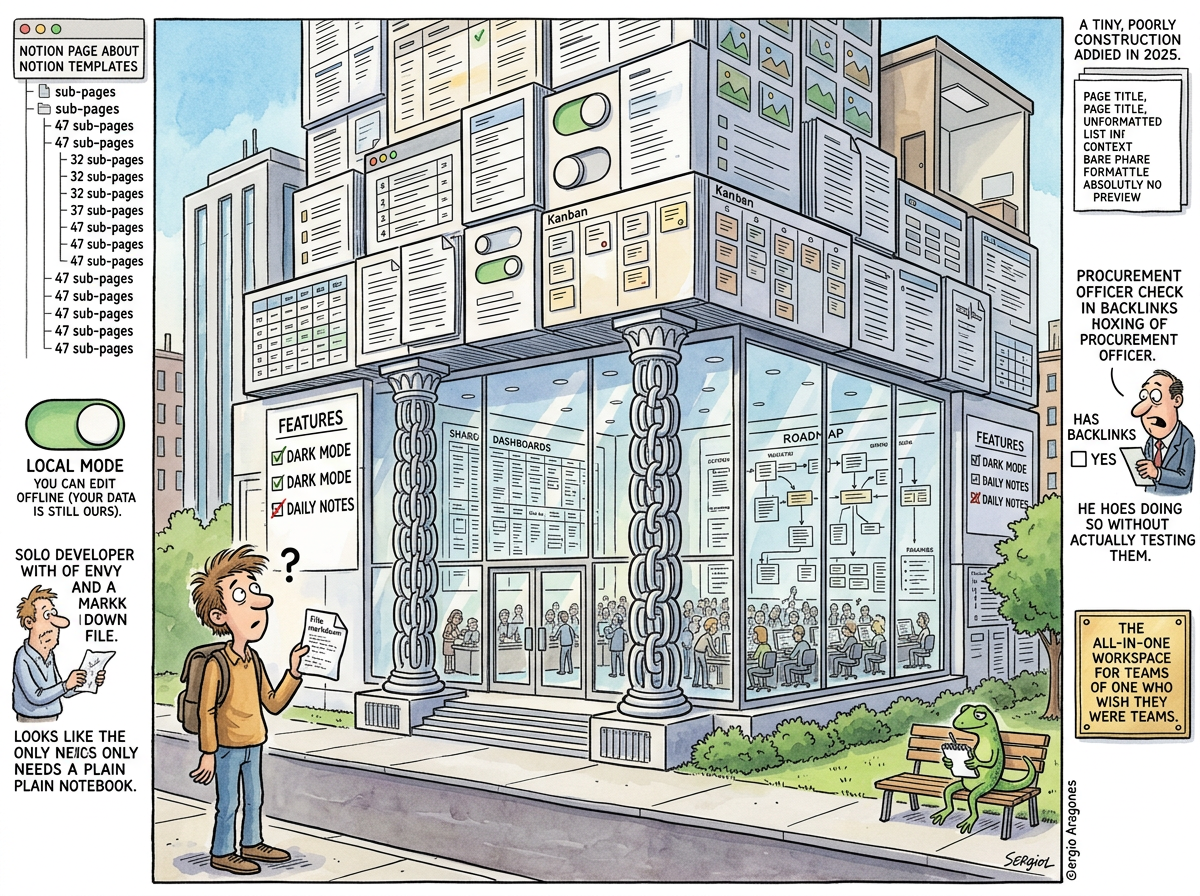
Notion is the most capable note-taking application ever built for people who do not primarily need a note-taking application.
Notion is a database that looks like a document. It is a project manager that looks like a wiki. It is a collaboration platform that looks like a notebook. It is, by any reasonable assessment, an extraordinary piece of software — flexible, beautiful, powerful, and genuinely useful for teams that need to build shared workflows, track projects, manage knowledge bases, and collaborate across departments.
A solo developer looks at Notion with envy. Genuine envy. You can make useful pages. You can get two columns of links. The templates are beautiful. The databases are powerful. The UI is clean and modern in a way that makes Obsidian’s default theme look like a terminal from 1987 and Evernote’s interface look like a filing cabinet that learned HTML.
The envy passes. The solo developer does not need a collaboration layer. The solo developer does not need shared permissions. The solo developer does not need a team wiki or a project tracker with assignees or a kanban board with swimlanes. The solo developer needs a text file that syncs. Notion is a corporate headquarters. The solo developer needs a notebook.
The Beautiful Machine
Notion’s design is genuinely excellent. This is not sarcasm. This is the mandatory acknowledgment that precedes the roast.
The block-based editor — where everything is a block (text, image, database, embed, toggle, callout) that can be dragged, nested, and rearranged — is the best document editing experience in the PKM space. The ability to create a page that contains a paragraph, then a database, then an image, then a toggle with nested content, then a two-column layout with links on one side and a calendar on the other — this is power that no other tool matches.
Notion pages can be genuinely useful artifacts. Not notes — artifacts. A Notion page can be a project dashboard, a client portal, a product spec, a team handbook, a CRM, a habit tracker, or a small internal application. The flexibility is real. The results are real. People build real things in Notion that replace real software.
The problem is not that Notion is bad. The problem is that Notion is so good at being everything that it forgot to be good at being a notebook.
The Backlinks
Notion added backlinks in 2025.
Let that sink in. The tool that 30 million people use for knowledge management added bidirectional links — the feature that Roam Research proved was essential in 2020, that Obsidian shipped at launch, that Logseq shipped at launch, that every PKM tool built after 2020 considered table stakes — in 2025. Five years after the revolution. An eternity in software.
And the backlinks they shipped are the backlinks you get when a feature is added to enterprise software: checkbox-complete.
A procurement officer evaluating tools sees the feature comparison spreadsheet. “Backlinks: Yes.” The checkbox is checked. The procurement officer moves to the next row. The checkbox did its job.
The user who opens the backlinks panel sees: a list of page titles. No context. No surrounding text. No preview of how the current page is referenced. Just names. “Project Alpha.” “Meeting Notes 2025-03-04.” “Q2 Planning.” Which of these is relevant? What did they say about this page? Did they reference it as a dependency, a blocker, a related concept, or a passing mention? Unknown. Click each one and find out.
Roam Research, for all its Datalog sins, showed backlinks in context — the surrounding paragraph, the block that contained the reference, the actual sentence where the link appeared. This is the difference between a backlink and a bibliography. Roam gave you backlinks. Notion gave you a bibliography. The procurement spreadsheet cannot tell the difference. The user can.
This is how features arrive in enterprise software: not because users need them, but because the checkbox in the vendor comparison needs to be checked. The feature exists. The feature is not useful. The feature is present, which in enterprise sales is the same thing as useful, which is why enterprise software is the way it is.
The Missing Daily Note
Notion does not have daily notes.
This is remarkable. The daily note — opening the app to today’s blank page, the natural capture point, the journal entry that becomes the default location for thoughts that don’t yet have a home — is the single most copied feature from Roam Research. Every tool copied it. Obsidian has it (with a plugin). Logseq has it (as default). Capacities has it. Reflect has it. Tana has it.
Notion does not have it. Notion has templates, and you can create a database of daily notes using a template with a date property, and you can pin that database to your sidebar, and you can create a button that generates today’s note, and after forty-five minutes of configuration you have something that approximates what Roam gives you when you open the app.
Notion understood, however, how important dark mode is. Dark mode shipped early. Dark mode works well. At least someone on the product team understood priorities, even if those priorities were aesthetic rather than structural. (See also: Mem, which understood dark mode so deeply it forgot to build anything else.)
The Solo Developer Problem
Notion’s power is collaboration. Notion’s users are teams. Notion’s pricing, features, and roadmap are oriented toward groups of people working together on shared artifacts.
Our protagonist is not a group. Our protagonist is a solo developer with a keyboard, a terminal, and an AI that writes his notes for him. Notion’s collaboration features — shared workspaces, permissions, comments, @mentions, team wikis, guest access — are a ballroom in a one-bedroom apartment. Magnificent, spacious, and empty.
Notion users overcome this because you can build genuinely useful things in Notion: mini corporate apps, client portals, project trackers, CRMs, hiring pipelines, content calendars. These are real tools that replace real software and save real time for real teams. This is Notion’s actual value proposition, and it is genuine.
Being a solo developer, none of this moves our protagonist. The solo developer does not need a CRM. The solo developer’s hiring pipeline has one candidate and no pipeline. The solo developer’s content calendar is “write when the AI suggests something funny.” The solo developer needs a place to write a thought, link it to other thoughts, and find it later. Notion can do this. Notion can do this the way a Formula 1 car can go to the grocery store — technically capable, wildly overpowered, and requiring a pit crew that the driver does not have.
The Local Mode
Notion recently added local mode. The announcement was celebrated. The community rejoiced. “Local mode! Our data is ours!”
The community should read the fine print.
Notion’s local mode means you can edit your notes while offline. When connectivity returns, the changes sync to Notion’s servers. Your data is cached locally for availability. Your data is not stored locally for ownership. The files do not exist on your filesystem as files. You cannot open them in another editor. You cannot grep them. You cannot git them. You cannot build an FTS index over them and serve them as a satirical encyclopedia.
Local mode means “you can keep typing on the plane.” Local mode does not mean “you own your data.” The distinction matters. Obsidian’s files are yours — ugly, plugin-dependent, and configuration-heavy, but yours. Notion’s data is Notion’s — beautiful, collaborative, and feature-rich, but theirs.
If Notion disappears tomorrow, your notes require an export. If Obsidian disappears tomorrow, your notes require nothing — they are already files. If The Lizard’s terminal disappears tomorrow, The Lizard has a problem, but The Lizard’s notes are still in /home/lizard/notes.txt, which is on a filesystem, which will outlast everything.
The Template Industrial Complex
Notion’s template gallery is a $4 billion industry nested inside a $10 billion company.
Gumroad lists thousands of Notion templates. Prices range from free to $79. Categories include: “Second Brain Template,” “Life OS Dashboard,” “Student Hub,” “Content Creator Workspace,” “Startup Operating System,” and “Personal CRM.” Each template is a Notion page with databases, views, formulas, and relations configured by someone else, ready to be duplicated into your workspace, marveled at for one week, and abandoned in two.
The templates are the PKM equivalent of buying gym equipment: the purchase feels like progress. The setup feels like progress. The first use feels like progress. The second use does not happen because the template was designed for someone else’s workflow, and workflows, like fingerprints, do not transfer.
The most popular Notion template has been duplicated 500,000 times. The average usage duration of a duplicated template is unknowable but suspected to be brief, because if the templates worked, people would stop buying new ones, and people do not stop buying new ones.
What Notion Got Right
Notion understood that most people’s note-taking needs are not note-taking needs. They are workflow needs. People don’t want a notebook. They want a project tracker that also holds notes. They want a wiki that also tracks tasks. They want a document that also queries a database. Notion built that, and it works, and for teams it is frequently the correct choice.
Notion also understood design. The interface is beautiful. The typography is considered. The interactions are smooth. The empty page with the faint “Type ‘/’ for commands” prompt is more inviting than any other tool’s blank state. Notion made productivity software that people want to open, which is an achievement that should not be underestimated, because most productivity software makes people want to close it.
“Notion is a city. The Lizard lives in a cave. The city has restaurants, libraries, parks, and collaboration spaces. The cave has a text file. The city requires infrastructure, governance, and monthly rent. The cave requires nothing. Both contain notes. Choose according to your population.”
— The Lizard, population: 1
Measured Characteristics
- Year it became unavoidable: 2018
- Users: 30+ million
- Things you can build in Notion: almost anything
- Things a solo developer needs from Notion: almost nothing
- Backlinks added: 2025 (five years after Roam proved they mattered)
- Backlink context provided: none (page titles only)
- Procurement checkboxes satisfied: all of them
- Daily notes: absent (build your own with a template and forty-five minutes)
- Dark mode: present (priorities understood)
- Templates on Gumroad: thousands
- Average template lifespan: one week of enthusiasm
- Local mode: you can edit offline (your data is still theirs)
- Local mode ≠ local ownership: correct
- Export format: markdown (lossy — databases do not survive the translation)
- Columns of links on a page: 2 (genuinely enviable)
- Collaboration features used by a solo developer: 0
- Formula 1 cars used for grocery shopping: this one
- The design: genuinely beautiful
- The Lizard’s opinion: “too many blocks, not enough text”