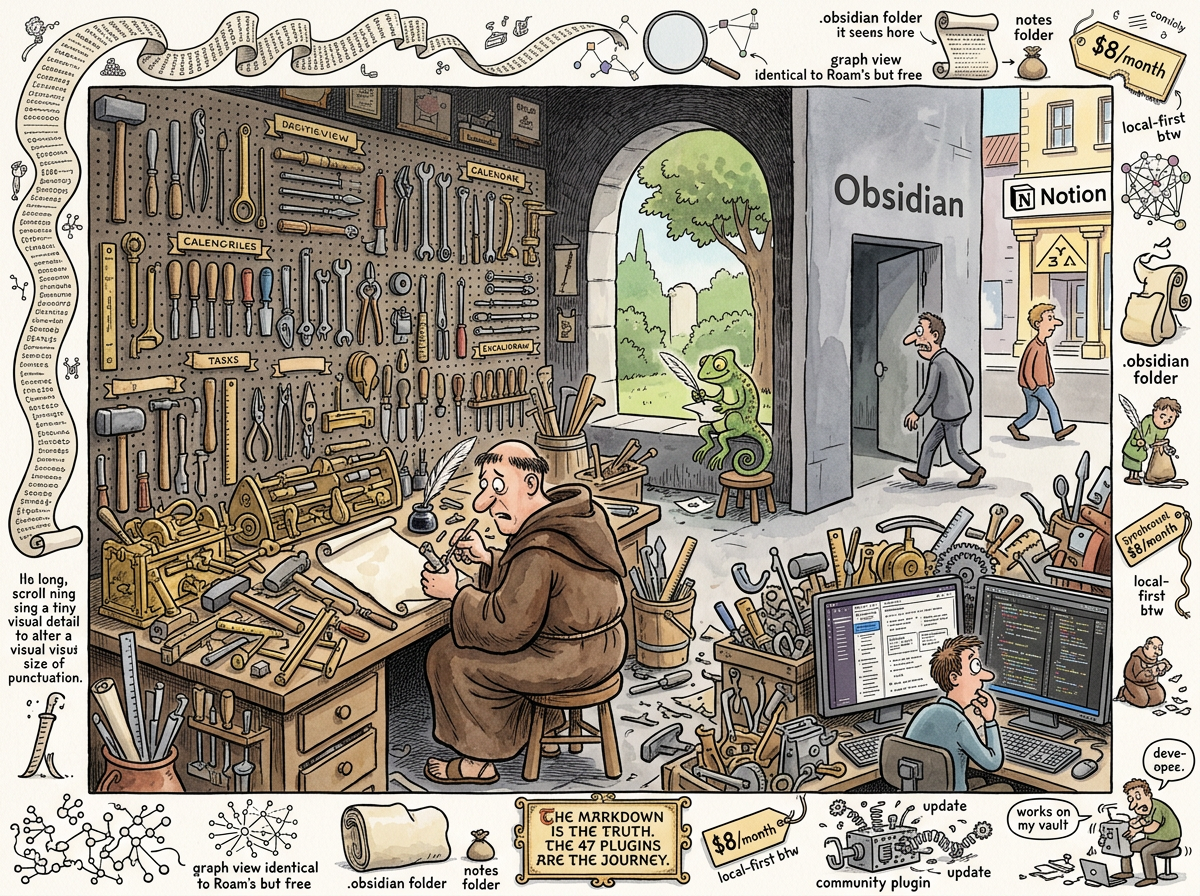
Obsidian is a note-taking application built on the radical premise that your notes should be local markdown files — and the equally radical premise that you should need twenty plugins, a custom CSS snippet, and a YouTube tutorial before you can use them.
Obsidian is VSCode for notes. This is meant as a compliment by the people who love it and as an indictment by everyone else. At least VSCode is useful without installing twenty plugins. Obsidian, out of the box, is a markdown editor with a dark grey interface, a file tree, and the quiet promise that it could be amazing if you just invest forty hours configuring it.
A person who has opinions about this looked at Obsidian and had a thought that changed the trajectory of his next two years: if the note-taking app is going to be as ugly and difficult to configure as his IDE, he might as well use his IDE. This thought — reasonable, obvious, and ultimately catastrophic — sent him on an odyssey through VSCode extensions, then Zed plugins, trying to teach a code editor what a task is, what a wiki-link is, and what a backlink is. Countless iterations. None successful. The code editor understood code. The code editor did not understand notes. The code editor looked at **backlink** and saw a syntax error. The code editor looked at - [ ] Buy milk >2026-03-15 and saw a malformed list item.
The IDE does not want to be a PKM tool. The PKM tool does not want to be an IDE. Obsidian sits in the uncanny valley between them, familiar enough to attract developers and alien enough to frustrate them.
The Revolution (Earned)
This section, like Roam Research’s, must come first.
Obsidian got the most important thing right: the file is the truth. Your notes are markdown files in a folder on your computer. There is no database. There is no proprietary format. There is no export needed. If Obsidian disappears tomorrow, your notes are still there — in ~/Notes/, readable by any text editor, searchable by grep, versionable by git, and ownable by you.
This decision — local files, standard format, no lock-in — was the correct decision. It was the decision that Roam Research should have made. It was the decision that Notion cannot make because Notion’s data model is too complex for flat files. It was the decision that made Obsidian the tool that survived, while Roam became a monument and Notion became a dependency.
Obsidian also understood something about developers: developers will configure anything. Give a developer a blank canvas and a plugin API, and they will build the tool they want. Obsidian gave developers a blank canvas and a plugin API. Developers built everything. The plugin ecosystem — 1,500+ plugins and counting — is Obsidian’s greatest achievement and its greatest problem, because the tool that the community built is extraordinary, but the tool that ships in the download is not.
The Out-of-Box Experience
The first time you open Obsidian, you see:
- A dark grey interface (not dark mode — dark grey, the colour of a terminal that has given up)
- A file tree on the left
- An editor pane on the right
- No calendar. No daily note. No task management. No backlink panel (it exists but is hidden by default). No templates. No way to create a note from a wiki-link without a plugin.
This is Obsidian’s philosophy: the core is minimal, the plugins provide the rest. This is also Arch Linux’s philosophy, and it produces the same demographic: people who enjoy the configuration more than the usage, and who will tell you about it at length.
The out-of-box experience is a markdown editor. A perfectly functional, competent, unremarkable markdown editor. To transform it into the PKM powerhouse that the YouTube thumbnails promise, you need:
- Templater — because the built-in template system is insufficient
- Dataview — because you want to query your notes (see: Datalog’s Revenge, below)
- Calendar — because a daily note without a calendar is a diary without dates
- Tasks — because the built-in checkbox has no concept of due dates
- Kanban — because someone always wants a board
- Excalidraw — because sometimes you need to draw
- Periodic Notes — because daily notes should also be weekly and monthly
- Admonition — because you want callout boxes
- Style Settings — because you want to configure the theme you installed to fix the grey
- Minimal Theme — because the default theme is the default theme
- A custom CSS snippet — because even the theme isn’t quite right
- Three more plugins you discovered on Reddit at 2 AM
By the time you have a usable system, your .obsidian folder — the configuration directory — is larger than your notes folder. You have spent more time in Settings than in Editor. You have achieved what Obsidian promised: a tool that is exactly what you want. The cost was forty hours that you could have spent writing.
Datalog’s Revenge
Obsidian, having watched Roam Research implement queries in Datalog and alienate 99% of users, decided to solve this problem by… creating a different query language that alienates 95% of users.
The Dataview plugin — which is not built-in but is so essential that not having it installed is like using VSCode without a file explorer — introduces a query language that is somewhere between SQL and a fever dream:
TABLE file.ctime as "Created", length(file.inlinks) as "Backlinks"
FROM "Notes"
WHERE contains(tags, "project") AND !completed
SORT file.ctime DESC
This is the simple syntax. Dataview also supports a JavaScript API for complex queries, at which point you are no longer taking notes — you are writing software inside your note-taking app, which brings us back to a developer who shall not be named’s original observation: if the note-taking app requires programming, use the programming tool.
The Dataview query language is more accessible than Datalog. This is like saying that climbing K2 is more accessible than climbing Everest. Both will kill you. One is slightly shorter.
The Graph View
Obsidian inherited the graph view from Roam Research with the fidelity of a cover band playing the original’s greatest hit.
The graph is identical: nodes for pages, edges for links, a force-directed layout that makes the whole thing look like a molecule rendered by someone who failed chemistry. It is equally beautiful. It is equally useless. It serves the same purpose: screenshots for Twitter.
Obsidian’s graph has one advantage over Roam’s: it renders locally, so it loads in seconds instead of minutes. Obsidian’s graph has one disadvantage: it loads fast enough that you cannot blame the loading time for the fact that it contains no useful information.
The graph view is Obsidian’s screensaver. It is the thing you show people when they ask what Obsidian is. It is not the thing you use when you need to find something. When you need to find something, you use search. When you use search, you are using grep with a GUI. The Lizard nods.
The Sync Tax
Obsidian is local-first. Your files live on your machine. This is the correct architecture.
Obsidian Sync costs $8/month. This is the tax for the correct architecture.
The files are local. But you have a phone. And a tablet. And a work laptop. And the files need to be on all of them. Obsidian’s answer: pay us $8/month for sync, or configure your own sync using iCloud (which corrupts .obsidian folders), Dropbox (which conflicts on simultaneous edits), Syncthing (which requires a PhD in networking), or git (which requires explaining merge conflicts to people who just want their grocery list on their phone).
The irony: Notion syncs for free. Roam syncs for free (it’s all in the browser). The tool that made “local-first” its identity charges extra for the one feature that makes local-first usable in a multi-device world.
One particular user solved the sync problem by using NotePlan, which stores notes as markdown files and syncs via iCloud and has a native mobile app and understands tasks and dates natively. This is the tool that Obsidian would be if Obsidian had opinions. Obsidian does not have opinions. Obsidian has a plugin API.
The Community
The Obsidian community is the most active, most helpful, and most terrifying community in the PKM space.
The Discord has 100,000+ members. The subreddit has 200,000+ subscribers. The forum is active. The plugin developers are prolific. The community produces tutorials, templates, workflows, and CSS snippets at a rate that suggests either extraordinary dedication or the same energy that other people channel into sourdough starters.
The community is terrifying because it has normalised an extraordinary level of configuration as “getting started.” A new user asks “how do I take notes in Obsidian?” and receives a seventeen-step guide involving four plugins, a theme, two CSS snippets, and a YouTube playlist. The community has forgotten that the answer could be “open a file and type.”
The community’s greatest contribution: making Obsidian usable. The community’s greatest cost: making Obsidian seem unusable without the community.
What Obsidian Got Right
The file is the truth. This cannot be overstated. Every other decision — the plugin architecture, the configuration complexity, the grey default theme, the sync pricing — is secondary to this one fact: when you use Obsidian, your notes are yours. They are files. They will outlast the app. They will outlast the company. They will outlast the format wars, the tool migrations, and the inevitable heat death of the PKM industry.
This is why Obsidian won. Not because it was the best tool, but because it made the best bet: that files are forever and apps are not.
The Lizard has been making this bet since 1976. The Lizard’s notes are also files. The Lizard’s files also outlasted every tool. The Lizard did not need a plugin for this. The Lizard needed vi.
“Obsidian is a text editor that convinced an entire generation to install twenty plugins to do what
vidoes with zero. The files are the same. The files were always the same. The files will always be the same.”
— The Lizard, editingnotes.txt, unbothered
The Case for the Workshop
Everything above is true. The setup is tedious. The defaults are bleak. The plugin dependency is real. The configuration hours are not refundable.
And yet.
THE SQUIRREL: clearing throat, adjusting clipboard, visibly nervous about defending something in front of The Lizard “Can I make a case?”
THE LIZARD: blink
THE SQUIRREL: “The reason Obsidian requires twenty plugins is that Obsidian has no opinions. The reason Obsidian has no opinions is that your opinions are weird. Everyone’s opinions are weird. NotePlan has opinions — lovely opinions, if you happen to share them. Notion has opinions — corporate opinions, if you happen to be a corporation. But if you need a daily note that looks like this, with tasks formatted like that, and wiki-links that resolve like this other thing, and a graph that filters by exactly these criteria — there is one tool that will bend to your will. One tool where the community has already built the exact plugin for your exact niche requirement. One tool that treats your weird opinions as a configuration surface instead of a product limitation.”
THE SQUIRREL: “Obsidian is not a note-taking app. Obsidian is a note-taking compiler. You write the specification. The plugins generate the app. The forty hours of setup are compilation time.”
THE LIZARD: long pause
THE SQUIRREL: sweating
The Lizard did something unprecedented. It did not drop a scroll. It did not disappear. It did not blink dismissively. It spoke directly, in lowercase, which had not happened since the whiteboard in London.
THE LIZARD: “If I needed to edit markdown outside vi — and I am not saying I do — it would be what I’d reach for.”
THE SQUIRREL: falls off clipboard
THE LIZARD: “Not because it is simple. Because it respects the file. The file is the truth. Obsidian never forgets this. The twenty plugins are noise. The file surviving is signal. And the file survives.”
THE SQUIRREL: “Did… did the Lizard just—”
THE LIZARD: already gone
This was understood, by those who study such things, as the highest possible endorsement for a tool that is not vi. In the Lizard’s taxonomy, there are three categories: wrong (tools that own your data), unnecessary (tools that add complexity without value), and acceptable (tools that respect the file). Obsidian was moved, in one sentence spoken in lowercase, from unnecessary to acceptable.
The Squirrel has framed this moment and hung it above its desk.
The Companion Pattern
The criticism above assumes Obsidian is the whole system — the editor, the search, the task manager, the publisher, the sync engine. When Obsidian is asked to be everything, it needs twenty plugins and forty hours.
But when something else handles the brain — when lg does the indexing, the search, the blog, the wiki, the sync, the chat, the covers — Obsidian becomes just an editor. A very good editor. An editor that understands markdown, wiki-links, frontmatter, and the folder structure. An editor that stays out of the way while the brain does the thinking.
The files live in ~/Notes/. Obsidian watches the folder. lg watches the same folder. Edit a file in Obsidian — lg re-indexes, syncs via NATS, commits via git. Ask the chat bar to create a note — Obsidian sees it instantly. Two programs, one folder, zero integration.
This is the pattern Obsidian was built for: not the whole system, but the best editor in the system. The workshop doesn’t need to be the house. It needs to be the place where you work on the things that go in the house.
The forty-hour setup time drops to ten minutes when all you need is an editor with a nice font and a file tree.
Measured Characteristics
- Year launched: 2020
- Fundamental decision that was correct: files are the truth
- Plugins available: 1,500+
- Plugins needed for basic usability: 10-20
- Time to configure a usable vault: 20-40 hours
- Time to write first actual note: after configuration (estimated: week 2)
- Default theme attractiveness: municipal building
- Custom themes available: 200+ (because the default is the default)
- CSS snippets in average power user’s vault: 5-15
- Size of .obsidian folder vs notes folder: concerning
- Graph view screenshots posted to Twitter: millions
- Graph views that revealed useful information: unconfirmed
- Sync cost: $8/month (local-first btw)
- iCloud sync corruption rate: high enough to be a meme
- Community Discord members: 100,000+
- Community answers to “how do I start?”: 17-step guides
- VSCode plugins attempted by riclib to replicate Obsidian: too many
- Zed plugins attempted by riclib to replicate Obsidian: also too many
- Success rate of teaching an IDE what a backlink is: 0%
- The file format: markdown
- The file’s opinion: “I was here before Obsidian. I will be here after.”
- The Lizard’s endorsement: “if I needed to edit markdown outside vi” (unprecedented)
- The Squirrel’s reaction: fell off clipboard
- Setup time as whole system: 40 hours
- Setup time as companion editor: 10 minutes
- The workshop is not the house: correct