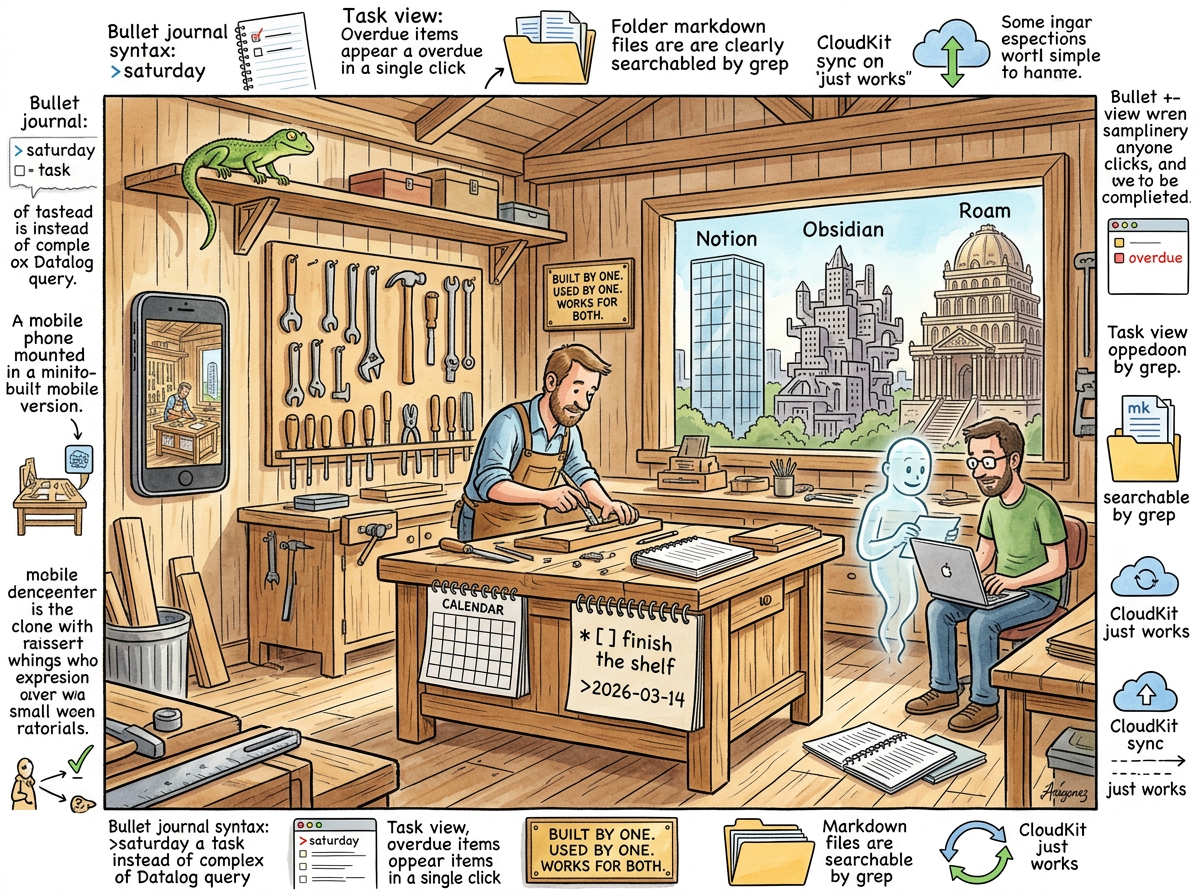
NotePlan is the note-taking application that riclib actually uses, actually enjoys using, and will not roast, because NotePlan earned something that no other tool in this series has earned: respect.
This is not an article. This is a thank-you note. Written in markdown. Stored in a NotePlan file. Indexed by lg. Served on the website that NotePlan’s files power. The recursion is, as always, the feature.
The Solo Dev
NotePlan was built by Eduard — one person, one vision, one application, for years. Not a startup with $40 million in funding. Not a team of fifty engineers optimising for growth metrics. One developer who wanted a tool that combined a calendar with markdown notes and bullet journal task management, and who built it, and who shipped it, and who kept shipping it, update after update, year after year, with the quiet persistence of someone who uses their own tool every day and fixes what bothers them.
Eduard now has a team. He earned it. Not through a Series A, not through viral growth, not through a Twitter cult — through building something good, consistently, for long enough that people noticed. The team is small. The product is focused. The roadmap is not a press release — it is a list of things that will make the tool better for the people who use it. This is how software should be built. This is how software is almost never built.
riclib recognises this because riclib is also a Solo Developer who builds tools for himself and discovers that other people find them useful. The kinship is structural. The admiration is genuine. The Lizard, who respects builders and distrusts platforms, watches Eduard’s workshop with the specific expression it reserves for people who make simple things well.
The Thing It Got Right
NotePlan understood — before anyone else in the PKM space — that a task is not a checkbox in a database. A task is a line of text with a date.
* [x] Fix the deployment script >2026-03-14
* [x] Write the Roam article @done(2026-03-11)
* [-] Cancel the meeting with the vendor
This is bullet journal syntax. A human can read it. A human can write it. A human does not need a query language, a plugin, or a prayer. The >2026-03-14 means “do this on Saturday.” Not in Datalog. Not in Dataview. Not in a proprietary task format that requires an interpreter. In plain text that grep can find and that your eyes can parse and that Claude with a 30-line skill can read as naturally as the person who wrote it.
One click shows you what you did. One click shows you what you will do. One click — and this is the one that matters — shows you what you forgot to do. The overdue task view. The feature that Roam Research never shipped, that Obsidian requires three plugins for, that Notion requires a formula-driven database to approximate. NotePlan shows it in one click because NotePlan understood that the point of a task system is not to capture tasks but to surface the ones you’re late on.
riclib and Claude see the same view. Claude, with a small skill and a small (ahem) helper called lg, can read the same markdown files, parse the same bullet journal syntax, and know what riclib did, what riclib plans to do, and what riclib forgot. The AI and the human share a workspace. Not because NotePlan planned for AI collaboration — that was not on the roadmap — but because NotePlan stored everything in markdown files in a folder, and markdown files in a folder are the universal interface. Any tool can read them. Any AI can parse them. Any grep can search them.
NotePlan accidentally built the perfect AI-human collaboration tool by building the simplest possible note-taking tool. The accidental architecture is, as The Lizard would observe, always the most robust.
The Calendar
NotePlan is one of the only tools that understands that notes and time are not separate concerns.
A daily note is not just a note — it is a note on a date. A task is not just a task — it is a task for a date. A project is not just a collection of notes — it is a collection of notes that unfold over time. Time is not metadata. Time is structure.
NotePlan’s calendar is not bolted onto the note-taking. The calendar is the note-taking. Each day has a note. Each note can have tasks. Each task can be scheduled to another day by typing >2026-03-14. Each task that is scheduled appears on that day’s note. The daily note is the inbox, the calendar, and the task manager simultaneously, because in reality these are not three things but one thing viewed from three angles.
This is so obvious that it is remarkable how few tools understand it. Roam Research has daily notes but no calendar integration. Obsidian has daily notes (with a plugin) but no calendar (without another plugin). Notion has neither daily notes nor a calendar in the note-taking sense. Evernote has reminders but not dates. NotePlan has all of it, natively, because one developer used a calendar and a notebook every day and thought: “why are these separate applications?”
The Mobile App
NotePlan’s mobile app is the second-best mobile note-taking experience, after Apple Notes.
This is an extraordinary achievement, because Apple Notes has the unfair advantage of being made by the company that makes the phone. NotePlan, made by a small team, ships a mobile app that does not try to be the desktop app on a small screen. It is its own thing. It shows what matters on a phone: today’s note, today’s tasks, a quick way to capture a thought, a quick way to check what’s overdue.
The mobile app does not have every feature the desktop app has. This is a design decision, not a limitation. The mobile app understands that a phone is for capture and review, not for architecture and planning. You write the thought on the phone. You organise it on the Mac. The two apps serve different moments in the same workflow, and they do not pretend otherwise.
riclib uses the mobile app to check tasks and add quick notes. He does not use it to write articles. He does not use it to reorganise his vault. He uses it for exactly what a phone is for: the thing you pull out of your pocket when you need to remember something or check something, for thirty seconds, then put back. NotePlan understands this. Most apps do not.
The Markdown Files
NotePlan stores notes as markdown files in a folder. Specifically, in:
~/Library/Containers/co.noteplan.NotePlan-setapp/
  Data/Library/Application Support/co.noteplan.NotePlan-setapp/
    Notes/          — project notes
    Calendar/       — daily notes (YYYYMMDD.md)
These are files. On a filesystem. Readable by cat. Searchable by grep. Indexable by lg. Parseable by Claude. Versionable by git (if you want). Owned by you.
This is the same decision Obsidian made, and it is the correct decision. The difference is that NotePlan’s files do not require twenty plugins to be useful. The files are useful because NotePlan is useful. The files are a byproduct of a tool that works, not a feature of a tool that requires configuration.
The files sync via CloudKit — Apple’s native sync, the same infrastructure that powers Apple Notes. It works. It works on Mac, iPhone, and iPad. It works without configuring Syncthing or paying $8/month for a proprietary sync layer. It works because Eduard chose the boring technology, and Boring Technology works.
The Gratitude
This section is not satirical.
riclib genuinely admires Eduard and the NotePlan team. He thanks them for persevering. He thanks them for building a note-taking tool that respects the user’s time, the user’s files, and the user’s intelligence. He thanks them for the bullet journal syntax that lets a human say “do this Saturday” without learning a query language. He thanks them for the mobile app that knows what a phone is for. He thanks them for the markdown files that made lg possible, which made the blog possible, which made Yagnipedia possible, which made this article possible.
NotePlan did not set out to be a platform for AI-human collaboration. NotePlan set out to be a good note-taking tool. By being a good note-taking tool — by storing notes as files, by using plain text syntax, by keeping things simple — NotePlan accidentally became the foundation for everything riclib has built since.
The best platforms are the ones that don’t know they’re platforms.
“The carpenter built a workshop. Someone moved in and built an encyclopedia inside it. The carpenter did not plan for this. The carpenter built good walls. Good walls support whatever you put inside them.”
— The Lizard, on accidental architecture
Measured Characteristics
- Year launched: 2017 (v1), 2020 (v3, the one that matters)
- Built by: one developer, now a small team (earned, not funded)
- Storage format: markdown files in a folder
- Sync: CloudKit (the boring choice, the correct choice)
- Time to show overdue tasks: one click
- Time to show overdue tasks in Roam: undefined
- Time to show overdue tasks in Obsidian: three plugins and a prayer
- Task syntax:
* [ ] do the thing >2026-03-14(human-readable) - Task syntax in Roam: Datalog (human-hostile)
- Mobile app quality: second only to Apple Notes
- Mobile app philosophy: the phone is for capture, not architecture
- Plugins required: 0
- Configuration required: minimal
- Claude skill to read NotePlan files: 30 lines
- lg helper to index NotePlan files: small (ahem)
- Encyclopedia articles served from NotePlan markdown files: 249 and counting
- The roadmap: things that make the tool better (not things that make the press release longer)
- The Lizard’s opinion: respect
- riclib’s opinion: gratitude