Windows is an operating system created by Microsoft that has maintained a dominant position on desktop computers for forty years through a strategy so effective it barely qualifies as a strategy: it comes with the computer.
Windows is not the best operating system. It has never been the best operating system. It is the default operating system — the one that appears when you turn on a Dell, an HP, a Lenovo, a ThinkPad, a Surface, and approximately every non-Apple computer sold in the last four decades. Defaults are more powerful than quality. Defaults are more powerful than preference. Defaults are the gravity of consumer technology: you can escape them, but escape requires effort, and most people do not apply effort to things that already work.
Windows works. Not elegantly. Not always reliably. But it works in the way that a municipal bus system works — it gets you there, it’s not pleasant, and complaining about it is a universal bonding experience.
The Good Ones and the Bad Ones
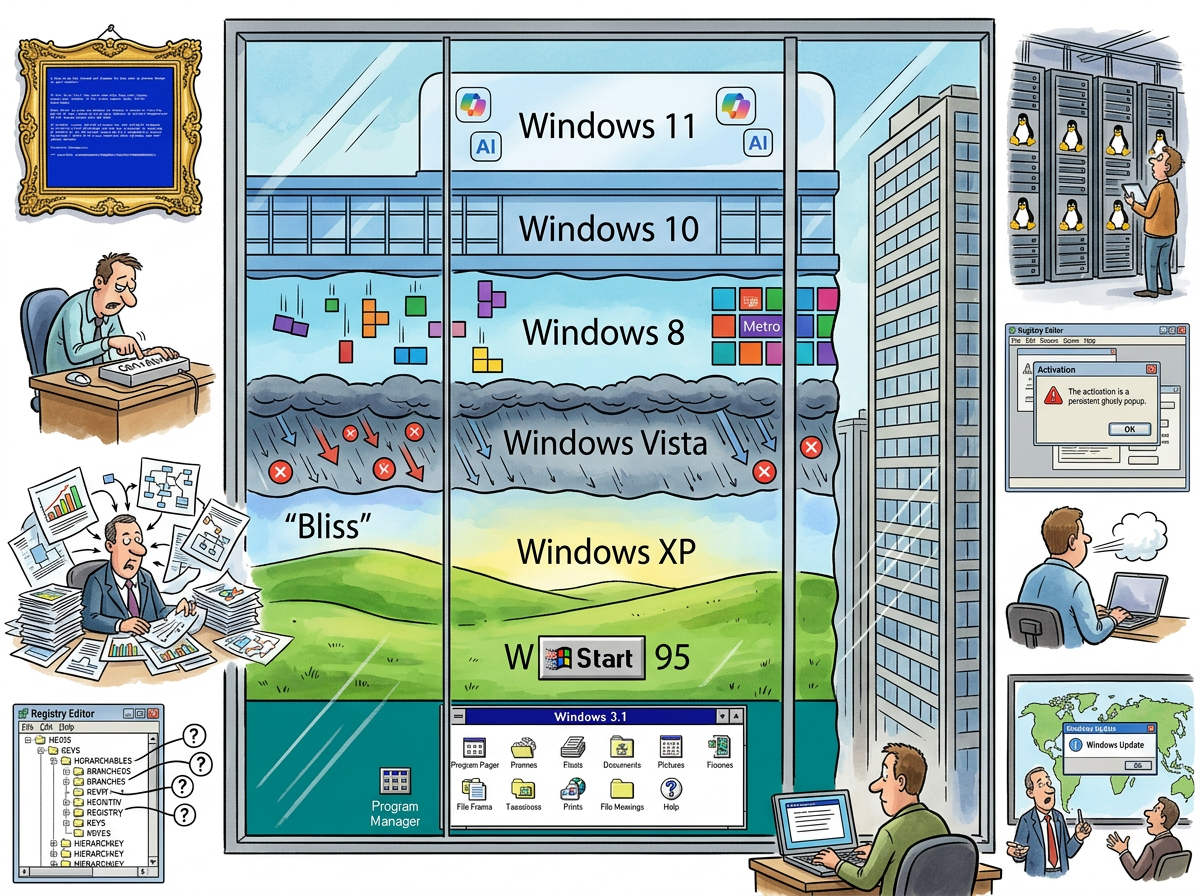
Windows follows a pattern so reliable it has been elevated to folklore: every other version is good.
| Version | Year | Verdict | Notes |
|---|---|---|---|
| Windows 3.1 | 1992 | Good | Made GUIs mainstream |
| Windows 95 | 1995 | Good | The Start button. Changed computing. |
| Windows ME | 2000 | Bad | So unstable it became a punchline |
| Windows XP | 2001 | Good | The beloved one. Ran for 13 years. |
| Windows Vista | 2007 | Bad | UAC dialogs. Enterprises skipped it entirely. |
| Windows 7 | 2009 | Good | “Vista but working.” The highest compliment. |
| Windows 8 | 2012 | Bad | Tiles. Touch-first on a mouse-first world. |
| Windows 10 | 2015 | Good | “The last version of Windows” (it wasn’t) |
| Windows 11 | 2021 | Debatable | Rounded corners and hardware requirements that exclude functional computers |
The pattern is not coincidence. It is structural. The bad version experiments. The good version reverts the experiment and adds what worked. Windows Vista introduced UAC (good idea, terrible execution). Windows 7 kept UAC and made it tolerable. Windows 8 introduced a tablet interface on desktops (bad idea, bad execution). Windows 10 put the Start menu back.
Each bad version is a field test conducted on several hundred million involuntary participants. Each good version is the apology.
The Blue Screen of Death
The Blue Screen of Death (BSoD) is Windows’ most iconic feature — a full-screen error message displayed when the operating system encounters a fatal error and must restart.
The BSoD is not merely a crash screen. It is a cultural artefact. It has appeared on billboards in Times Square, on departure boards at airports, on ATMs in shopping centres, and on the jumbotron at a baseball game. Each appearance is photographed, shared, and celebrated with the grim joy of people who recognise a shared suffering.
The BSoD has evolved aesthetically over the decades. Windows 3.1’s BSoD was white text on blue, dense with technical information that no user could interpret. Windows 10 added a sad face emoticon — :( — and a QR code linking to a support page that explains nothing. Windows 11 changed the background to black briefly, then reverted to blue after public outcry, proving that the blue in Blue Screen of Death is not a colour choice but a brand.
The Registry
The Windows Registry is a hierarchical database that stores configuration settings for the operating system and installed applications. It is also the single most effective argument for Linux ever created.
The Registry contains thousands of keys, organised into hives (HKEY_LOCAL_MACHINE, HKEY_CURRENT_USER, HKEY_CLASSES_ROOT), each containing subkeys, each containing values, each potentially affecting system behaviour in ways that are documented in theory and mysterious in practice.
No human being fully understands the Windows Registry. This includes Microsoft employees. The Registry is not designed — it is accumulated. Every application that has ever been installed has left traces. Every configuration change has written keys. Every uninstall has left orphaned entries. The Registry is a geological record of every decision ever made on the machine, and like geological records, interpreting it requires specialised expertise and a willingness to accept that some strata will never be explained.
The recommended fix for many Windows problems is “clean the Registry.” The recommended tool for cleaning the Registry is “reinstall Windows.” This is the operating system equivalent of treating a headache with a full body transplant, and it is accepted as normal because Windows users have been conditioned to accept reinstallation as a maintenance procedure rather than a failure mode.
Enterprise’s Operating System
Windows’ true dominance is not the desktop — it is the enterprise.
Active Directory. Group Policy. SCCM. Intune. The Microsoft 365 ecosystem. Exchange. SharePoint. These are not products — they are the nervous system of corporate IT. Every Fortune 500 company runs on Windows not because Windows is good but because replacing Windows would require replacing Active Directory, which would require replacing Group Policy, which would require replacing every login, every security policy, every printer mapping, every drive mapping, and every IT procedure written since 2003.
The enterprise IT administrator’s entire career is Windows. Their expertise is Group Policy Objects. Their tools are PowerShell and SCCM. Their nightmares are Windows Update deploying to production during business hours, which happens with a regularity that suggests malice but is merely incompetence at planetary scale.
Windows Update is Yagnipedia-worthy on its own merits: an update system that restarts the computer without explicit consent, during presentations, during saves, during the one moment in the day when restarting is most destructive. The “Restart Now” and “Restart Later” dialog has caused more data loss than most ransomware, and the option “Later” means “in fifteen minutes, whether you’re ready or not.”
The Developer Exodus
The most significant Windows story of the 2010s is the one Microsoft doesn’t discuss in keynotes: the developers left.
In 2005, developing software meant developing on Windows. Visual Studio. .NET. IIS. SQL Server. The Microsoft stack was the stack. A developer’s machine was a Dell running Windows XP, and this was not a choice — it was the default, and defaults are gravity.
By 2015, the developers were on Macs. Not all of them. But the ones who mattered — the ones writing open-source tools, building startups, speaking at conferences, and determining which technologies would be adopted — were on macOS. They wrote Ruby, Python, and JavaScript. They deployed to Linux. They used terminal emulators that were not PowerShell. Windows became the operating system of corporate IT, not of developers.
This terrified Microsoft more than any competitor. Developers are the leading indicator. Where developers go, platforms follow. The developer exodus to macOS was the signal that Windows was losing the future.
Microsoft’s response was extraordinary:
- VS Code — A free, cross-platform editor that became the most popular editor on Earth. Written in TypeScript. Runs on Electron. Available on Windows, macOS, and Linux.
- WSL — Windows Subsystem for Linux. Actual Linux, running inside Windows. The company that called Linux “a cancer” put Linux in its operating system.
- Windows Terminal — A modern terminal that doesn’t make developers weep.
- TypeScript — A language that developers actually chose, rather than one that came with the computer.
The message was clear: if the developers won’t come to Windows, Windows will go to the developers. And if going to the developers means shipping Linux inside Windows, then Linux will ship inside Windows, and nobody at Microsoft will mention the irony, and nobody outside Microsoft will stop mentioning it.
The Lizard’s Position
The Lizard does not use Windows. The Lizard uses macOS for development and deploys to Linux.
This is not ideology. It is pragmatism. macOS has a Unix terminal, Apple Silicon, and a trackpad. Windows has a Registry, a Blue Screen of Death, and Windows Update. The Lizard is a pragmatist. The Lizard chose the machine that does not interrupt.
However, the Lizard acknowledges Windows’ achievement: forty years of dominance in the most competitive technology market on Earth, achieved not through excellence but through ubiquity. The Lizard respects ubiquity. One binary on every server. Windows on every desktop. The strategy is the same: be the default, and let the default do the work.
Measured Characteristics
Year created:                                1985 (GUI shell), 1993 (NT kernel)
Desktop market share:                        ~72%
Server market share:                         ~3.7%
Good versions:                               3.1, 95, XP, 7, 10
Bad versions:                                ME, Vista, 8
Debatable versions:                          11
Blue Screens of Death displayed:             billions (estimated)
Registry keys per installation:              hundreds of thousands
Registry keys understood:                    a fraction of those
Windows Updates during presentations:        too many
Developer exodus peak:                       2010–2015
Years WSL has existed:                       8
Irony of Microsoft shipping Linux:           unmeasured, presumed infinite
Times "Restart Later" meant later:           never