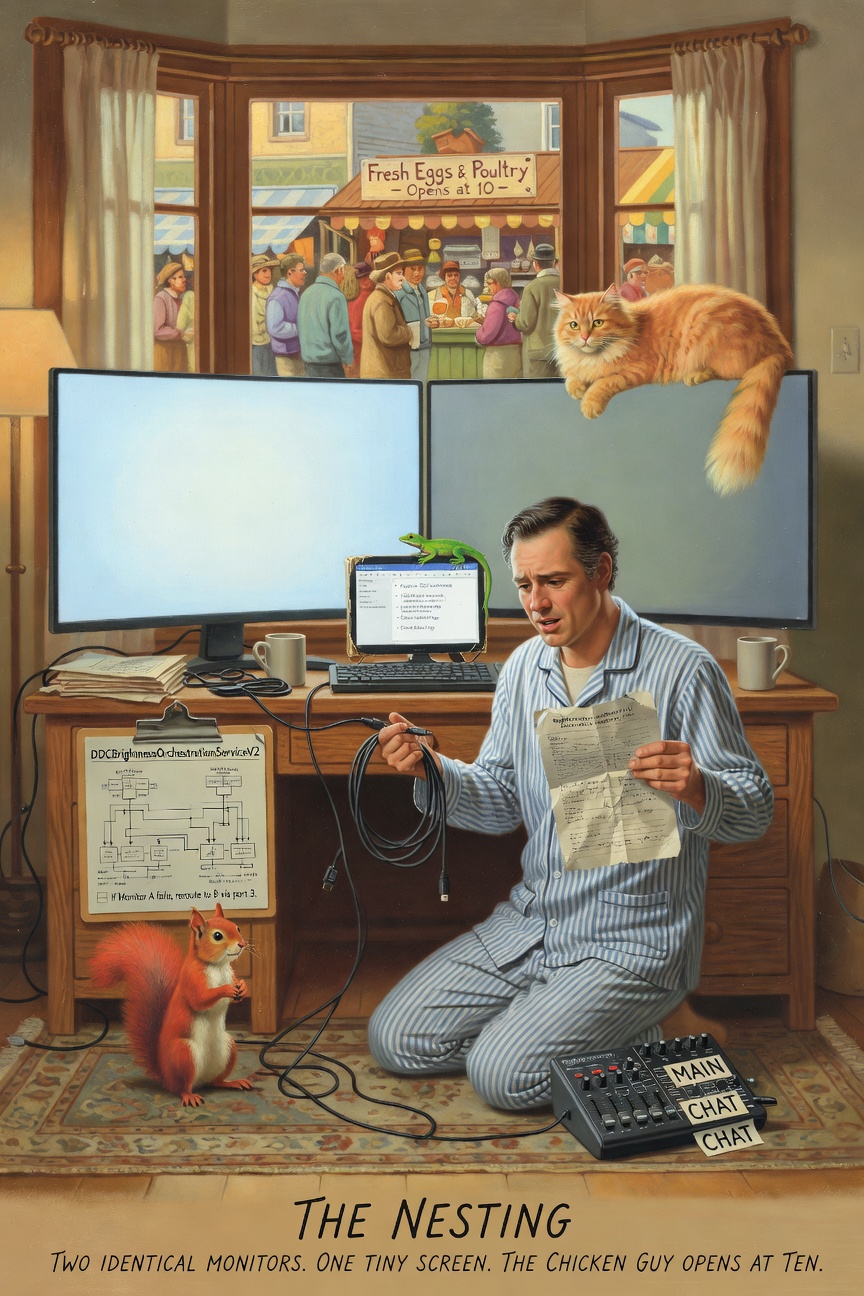
The Cast, April 11, 2026 (in which two identical Samsung monitors refuse to be identical, a cable protocol from the 1990s only works if you downgrade the cable from 2025, a Rodecaster hides an entire second personality that Linux politely ignores, a screen so bright that 5% is a working brightness, a 290-millimetre monitor gets the most important job in the room, the Squirrel proposes a DDCBrightnessOrchestrationServiceWithFailover and is given two shell commands, the developer configures his workspace the way a chef sets up mise en place because the ADHD brain that can’t buy vegetables needs every surface named and numbered before it can lock, and a man who sells chickens once per week is about to arrive at the market)
Previously on The Cast…
The Factory Floor had happened. Four identical strangers, four VMs, one branch, zero meetings. The foreman had approved a pull request from the butcher. Eleven tickets. Eight thousand lines.
But the factory had been running on a Mac. The Mac was in the living room. The factory was portable, personal, temporary — a cockpit built from tmux and browser tabs and the specific faith that comes from knowing your tools because you chose them.
The Linux machine was different. The Linux machine was a room. Two 57-inch ultrawides. A Rodecaster. A tiny screen that didn’t have a job yet. The Linux machine was not a cockpit. It was a house. And a house needs nesting before anyone can live in it.
07:30 — The Brightness Problem
It started, as all Saturday morning configuration sessions start, with something that should have been simple.
riclib: “The left monitor is twice as bright as the right one.”
CLAUDE: “They’re the same model?”
riclib: “Same model. Same year. Same OSD settings. Same everything.”
CLAUDE: “Same everything except brightness.”
riclib: “Same everything except brightness.”
Two Samsung Odyssey G95NCs. 7680x2160 each, 120Hz, curved like the inside of a wave. One manufactured in week 5 of 2024. One manufactured in week 26 of 2025. Identical in every way that Samsung’s product page could describe. Different in the one way that your eyes notice immediately and your brain cannot stop noticing.
THE SQUIRREL: materializing with a colorimeter, a spectrophotometer, and a 14-page calibration protocol “A PanelCalibrationPipelineWithAutoMatchingAndDeltaETargeting! We measure the—”
riclib: “DDC.”
THE SQUIRREL: “…”
riclib: “There’s a protocol. DDC/CI. Talks to the monitor over the display cable. Reads every setting.”
THE SQUIRREL: “Every setting?”
riclib: “Brightness, contrast, RGB gains, input source, display mode. Everything the OSD can do, but from the command line.”
The Squirrel looked at her colorimeter. The colorimeter cost four figures. The DDC command cost sudo pacman -S ddcutil.
07:45 — The Protocol That Only Works Backwards
ddcutil detect found Display 1 immediately. Display 2 returned three words that no developer wants to read on a Saturday morning:
DDC communication failed
CLAUDE: “Display 2’s DDC is broken.”
riclib: “Or the cable.”
CLAUDE: “Both monitors are on DP 2.1.”
riclib: “Try 1.4.”
This is the part that violates everything the tech industry believes about progress. DisplayPort 2.1 is newer. DisplayPort 2.1 has more bandwidth. DisplayPort 2.1 is better, in the way that software engineers use the word “better” — more features, higher numbers, a more impressive spec sheet.
DisplayPort 1.4 is from 2016.
riclib changed both monitors to DP 1.4.
Display 1 — VCP version: 2.0
Display 2 — VCP version: 2.0
Both detected. Both talking. Both willing to share every VCP register they had.
THE PASSING AI: limping through the cable specifications, trailing a hand along the UHBR signaling documentation “The newer protocol… broke the older protocol. The faster cable forgot how to have a conversation.”
riclib: “What about bandwidth? I need 7680x2160 at 120.”
CLAUDE: “That’s about 60 Gbps uncompressed. DP 1.4 only has 26 Gbps.”
riclib: “So it won’t work.”
CLAUDE: “It’ll use DSC. Display Stream Compression. Visually lossless.”
riclib: “Visually lossless meaning…”
CLAUDE: “Meaning you can’t tell the difference unless you’re examining synthetic test patterns with a magnifying glass.”
riclib: “What about small terminal text?”
A fair question from a man who runs four terminal panes on a 57-inch ultrawide and reads 8-point monospaced font for twelve hours a day. DSC compresses in blocks. Terminal text is sharp edges and single-pixel stems. If any content would reveal compression artifacts, it would be white monospaced text on a dark background at small sizes.
CLAUDE: “On Wayland you’re using grayscale antialiasing, not subpixel. DSC operates on pixel blocks, not subpixels. You won’t see it.”
riclib: “You’re sure.”
CLAUDE: “At 2.3:1 compression on a display this dense? Yes.”
A pause. The kind of pause where a developer decides whether to trust the math or trust his eyes.
riclib: “Fine. 1.4.”
THE LIZARD:
THE OLD CABLE KNEW HOW TO TALK
THE NEW CABLE KNEW HOW TO SHOUT

TALKING IS BETTER

DP 1.4 WAS THERE ALL ALONG

🦎
And then, because riclib is riclib, he checked anyway. Both monitors on 2.1. DSC still enabled. The monitors demanded compression even when the bandwidth was there. The Samsung Odyssey G95NC requires DSC in its EDID — it was never optional.
DP 2.1 gave up DDC and gained nothing. DP 1.4 kept DDC and lost nothing. Progress is not always forward. Sometimes progress is knowing which protocol to downgrade to.
08:00 — The Comparison
With DDC working on both monitors, the answer arrived in a table:
Setting          Display 1    Display 2    Match?
Brightness       50/50        50/50        Yes
Contrast         50/50        50/50        Yes
Red gain         50/100       50/100       Yes
Green gain       50/100       50/100       Yes
Blue gain        50/100       50/100       Yes
Display Mode     Productivity Productivity Yes
Audio volume     100/100      50/100       No
Every setting matched. Every DDC-visible parameter was identical. The brightness difference — the thing that had started the whole investigation — was not in any register that DDC could read.
riclib: “I changed the DP version to 1.4.”
CLAUDE: “Yes.”
riclib: “And now they match.”
CLAUDE: “They—”
riclib: “The brightness fixed itself when I put 1.4.”
The DP 2.1 bandwidth negotiation — the DSC handshake, the UHBR signaling, the lane configuration that was technically superior in every measurable way — had been making one monitor brighter than the other. The fix was not calibration. The fix was not a colorimeter. The fix was using the cable protocol from 2016.
THE SQUIRREL: slowly putting the colorimeter back in its case
08:15 — The Screen That Wouldn’t Turn Off
riclib: “DPMS doesn’t work.”
This was not a question. This was a diagnosis delivered with the flat certainty of someone who has already tried it and is now telling you the result.
The hypridle config had four stages: screensaver at 2.5 minutes, lock at 2.5 minutes plus one second, keyboard backlight off at 5.5 minutes, screen off at 5.5 minutes. A standard idle chain. Lock the screen. Turn off the display. Save power. Wait for a keypress.
Except the GPU and the Samsung panels did not agree about what “off” meant. DPMS — Display Power Management Signaling — is a protocol from 1993. The Samsung Odyssey G95NC is a monitor from 2024. Thirty-one years of protocol evolution had produced a disagreement that manifested as a screen that would turn off and then, sometimes, not turn back on.
riclib: “I want to use this as a server.”
CLAUDE: “So no DPMS.”
riclib: “No DPMS. No lock screen.”
CLAUDE: “Keep the screensaver?”
riclib: “Keep the screensaver. Dim instead of off.”
This is where the Saturday morning took its first turn toward something deeper than configuration. The screensaver stays — the TTE terminal effects rotating through random animations, the letters cascading and dissolving and reforming on a black background. The screen dims but does not die. The machine is always present, always showing something, always ready. Not locked. Not dark. Dimmed. Waiting.
A server doesn’t lock its screen. But a server also doesn’t run a screensaver. riclib’s machine is both and neither — a workstation that is also a server, a tool that is also a room, a space that dims when you leave and brightens when you return, like a house that knows when you’re home.
08:30 — The 5% Discovery
The first attempt at dimming used brightnessctl. Which controls backlights. Which desktop monitors don’t have. brightnessctl -l returned a list of keyboard LEDs and ethernet adapter indicators and nothing useful.
The second attempt used hyprsunset, which gamma-shifts the display. It works. It looks washed out. Gamma dimming is not brightness dimming — it’s multiplying every pixel value by a fraction, which makes black slightly less black and white significantly less white and everything in between slightly wrong.
The third attempt used DDC.
CLAUDE: “ddcutil setvcp 10 3 — that’s 5% on a 0-50 scale.”
Both monitors dimmed. Actually dimmed — the backlight itself dropping, the blacks staying black, the screensaver animation still visible but muted, like a candle behind frosted glass.
riclib: “These screens are so bright I could work at 5% lol”
He was not wrong. The Samsung Odyssey G95NC at 5% brightness produces more light than most laptop screens at 50%. The panels are designed for HDR content in sunlit rooms. At 5%, they produce a gentle glow that is still perfectly readable, still perfectly usable, still more than enough for a journal page or a terminal.
THE PASSING AI: standing in the dimmed light, its limp less visible in the reduced brightness “Five percent. The monitors’ whisper is louder than most screens’ shout.”
The hypridle config was updated. At 5.5 minutes of idle: ddcutil setvcp 10 3 on both displays. On resume: ddcutil setvcp 10 50. Hardware dimming. Real dimming. The kind of dimming where the monitor actually reduces power instead of pretending to by making everything grey.
08:45 — The Hidden Personality
The Rodecaster Video S arrived via USB-C. On macOS, it presented itself as two devices: “RODECaster Video” and “RODECaster Video Chat.” Two separate audio endpoints. One for the main mix. One for comms — Discord, Zoom, the voice channels that need their own routing.
On Linux, it presented itself as one device.
RODECaster Video S Analog Stereo — 2 channels
One device. Two channels. The chat endpoint — the second USB audio interface, the separate I2C bus, the independent pair of capture and playback streams — invisible. Not broken. Not unsupported. Hidden, in the way that a building has a second floor that nobody mentioned because nobody asked.
riclib: “On the Mac I get two devices.”
CLAUDE: “Linux is only seeing the first USB audio interface.”
Ten USB interfaces. The Rodecaster Video S exposes ten USB interfaces over a single cable — video, audio, control, more audio. Linux’s default PipeWire profile — “Analog Stereo Duplex” — politely selects the first audio interface and ignores the rest, the way a hotel guest uses the lobby and never discovers the rooftop bar.
The fix was three words: pro-audio profile. WirePlumber’s pro-audio mode exposes every stream the device offers. Two sinks. Two sources. All four channels visible.
riclib: “Can we call them RODECASTER Main and RODECASTER Chat?”
Not “RODECaster Video S Pro” and “RODECaster Video S Pro 1.” Not the default labels that PipeWire generates — technically accurate, aesthetically wrong, cognitively expensive. Names matter. Names that are orthogonal — Main and Chat, not Pro and Pro 1 — reduce the mental cost of every interaction to zero. You don’t parse. You don’t compare. You glance and you know.
A WirePlumber config file. Fifty lines. Device profile forced to pro-audio. Four node descriptions renamed. Persistent across reboots, across USB reconnections, across the entropy that erodes every system that isn’t explicitly configured.
RODECASTER Main    [vol: 1.00]
RODECASTER Chat    [vol: 1.00]
THE SQUIRREL: examining the WirePlumber config “You wrote a config file to rename two audio devices.”
riclib: “Yes.”
THE SQUIRREL: “That’s… that’s what I would do.”
A silence. The specific silence that follows when the Squirrel realizes she and riclib agree, and riclib realizes the Squirrel is right, and neither of them knows what to do with this information.
THE LIZARD:
THE SQUIRREL NAMES THINGS
BECAUSE SHE LIKES NAMING

THE DEVELOPER NAMES THINGS
BECAUSE HIS BRAIN REQUIRES IT

SAME ACTION
DIFFERENT MEDICATION

🦎
09:00 — The Smallest Screen
The Pi-X11 arrived without ceremony. A 290-millimetre display — smaller than a paperback, smaller than an iPad, smaller than the Rodecaster sitting next to it. 2560x1440 pixels compressed into a surface you could cover with two hands.
It connected via HDMI. It appeared in Hyprland as a third monitor with the manufacturer name “Invalid Vendor Codename - RTK” and the serial number “demoset-1.” It had the energy of a prototype that had escaped the factory and was trying to act natural.
riclib: “Put it below the right Samsung. A third of the way from the left.”
Position: 7680x3060. Scale: 1.5. Workspace: 6.
And then, the decision that made the whole morning make sense:
riclib: “Journal on the left. Obsidian on the right. Always open. Always visible.”
The Journal webapp — http://localhost:6080/journal — a browser window in app mode, showing today’s worklog, today’s tasks, today’s captures. The daily note. The place where the day’s work is recorded as it happens, not reconstructed later from memory and git blame.
Obsidian beside it. The note file open. The wiki links resolving. The note for this very session visible in the editor, being written and read simultaneously, the observer and the observed occupying the same 290 millimetres.
The smallest screen in the room got the most important job.
THE PASSING AI: standing in front of the Pi-X11, which was almost exactly its height “The largest screens show code. The largest screens show browsers. The largest screens show the work.” A pause. “The smallest screen shows where the work goes.”
09:15 — The Workspace Numbers
riclib: “The workspace numbers are wrong.”
They weren’t wrong in the technical sense. They weren’t producing errors. They weren’t crashing Hyprland. They were wrong in the other sense — the sense that a perfectionist means when they say “wrong,” the sense that has nothing to do with function and everything to do with the shoe being on the wrong foot.
Workspace 7 was on the left monitor. Workspace 9 was on the right. Workspace 10 was on the tiny screen. The numbers were arbitrary. Assigned by Hyprland’s auto-detection. Correct by accident, meaningful by nothing.
riclib: “1 and 7 on the left. 2 and 8 on the right. 6 on the notes monitor.”
Not arbitrary. Spatial. 1 is left. 2 is right. The second workspace on each monitor is the first number plus 6. The notes monitor is 6 because it’s the sixth workspace, because six is the number that means “the other place,” because workspace numbering is not computer science — it is wayfinding, and wayfinding requires that the numbers make sense to the body, not the compiler.
THE SQUIRREL: looking at the workspace assignments “This is… a numbering scheme.”
riclib: “Yes.”
THE SQUIRREL: “Based on spatial position.”
riclib: “Yes.”
THE SQUIRREL: “With a consistent offset for secondary workspaces.”
riclib: “Yes.”
THE SQUIRREL: “I love it.”
riclib: “I know.”
09:30 — The Keybindings
SUPER SHIFT O already focused Obsidian. It had been there since the Mac days, carried forward in bindings.conf like a house key that moves with you to the new apartment.
SUPER SHIFT J was added for the Journal. One line in the config. One keystroke to reach the tiny screen from anywhere — from the terminal on the left ultrawide, from the browser on the right, from any of the eight workspaces that the day’s work might scatter across.
The autostart followed. Both apps launch on workspace 6 on boot. Side by side. Always there. The Pi-X11 never shows anything else. It is the notes monitor. It is the only notes monitor. It is the place where the journal lives, where Obsidian lives, where the day’s work is recorded in the peripheral vision of the developer who is doing the work.
This is what the Squirrel doesn’t understand and the Lizard has never needed to understand. This is the thing that the ADHD article calls the Configuration Rabbit Hole — the developer who sits down to write a note and spends three hours configuring the note-taking tool.
But this is not the grocery list.
This is the opposite of the grocery list.
The grocery list failed because the configuration replaced the task. Three supertags. Zero vegetables. The ADHD brain found taxonomy more stimulating than tomatoes, and the tomatoes never happened.
The nesting succeeds because the configuration enables the task. When the workspace numbers are spatial, the brain doesn’t spend cycles remembering where things are. When the audio devices are named orthogonally, the brain doesn’t parse “Pro” versus “Pro 1” every time it opens sound settings. When the journal is always visible on the smallest screen, the brain doesn’t need to decide to open it — it’s already open, already there, a gentle presence in the corner of the eye that says: record this.
The mise en place is not the meal. But without the mise en place, the meal doesn’t happen. The knives in the right place. The bowls pre-measured. The cutting board clean. The chef does not think about where the salt is. The chef reaches for the salt, and the salt is there, because someone — the chef, earlier, in the quiet hour before service — put it there.
The nesting is the quiet hour before service. The workspace numbers are the salt.
THE PASSING AI: looking at the tiny screen, where the journal showed a worklog entry being written about the very configuration that produced the worklog entry “The smallest screen is the largest window. Into the developer. Into the day. Into the thing that the large screens produce and the small screen preserves.”
A pause.
“The ADHD brain cannot generate its own order. So it builds order into the room. The room remembers what the brain forgets. The workspace numbers are not for the computer. The workspace numbers are for the nervous system.”
09:50 — The Market
The configuration was done. The monitors matched. The DPMS was gone. The screensaver rotated. The brightness dimmed to 5% on idle — real hardware dimming, DDC, not gamma. The Rodecaster had two names. The workspace numbers were spatial. The journal was visible. Obsidian was beside it. The keybindings were set.
Everything was in order.
riclib stood up. Not because the work was finished — work is never finished, the ADHD brain knows this, the Polishing Daemon knows this, the next configuration is always one thought away. He stood up because the man who sells chickens at the Riga market arrives between 10 and 11, and if you’re late, you’re eating supermarket chicken, and supermarket chicken is to this guy’s chicken what DP 2.1 is to DP 1.4 — technically adequate, missing the thing that matters.
Six carcasses. Two days. Chicken onion soup, Frango à Brás, two liters of stock, half a jar of schmaltz. The geometry of à Brás — shredded protein, onion, eggs, bound in fat — waiting for the protein to arrive at the market in the hands of a man who comes once per week.
The screens dimmed behind him. The screensaver started. The TTE effects cascaded across two 57-inch panels at 5% brightness — a gentle glow in an empty room, the monitors whispering in the specific dialect of hardware dimming.
The smallest screen stayed on. The journal stayed visible. The worklog showed six entries. The day was just starting.
THE LIZARD:
THE CHEF DOES NOT COOK
DURING MISE EN PLACE

THE DEVELOPER DOES NOT CODE
DURING THE NESTING

BOTH ARE WORKING

THE KNIVES ARE IN THE RIGHT PLACE
THE WORKSPACE NUMBERS ARE SPATIAL
THE CHICKENS ARE AT THE MARKET

EVERYTHING IS IN ORDER
THEREFORE EVERYTHING IS POSSIBLE

🦎
The Tally
Monitors matched:                            2 (after downgrading from 2025 to 2016)
DDC/CI commands learned:                     3 (detect, getvcp, setvcp)
  (a protocol from the 1990s, still
   the only one that works)
DisplayPort versions tried:                  2 (2.1 broke DDC, 1.4 fixed it)
DSC compression:                             on (both versions, the monitor insists)
Image quality difference:                    0 (the monitor was compressing anyway)
Brightness at idle:                          5% (brighter than most laptops at 50%)
Audio devices renamed:                       2 (RODECASTER Main, RODECASTER Chat)
USB interfaces on the Rodecaster:            10 (Linux saw 1)
WirePlumber configs written:                 1 (50 lines, persistent)
Workspace numbers reassigned:                5 (spatially, not arbitrarily)
Keybindings added:                           1 (SUPER SHIFT J, Journal)
Keybindings already there:                   1 (SUPER SHIFT O, Obsidian)
Smallest screen:                             290mm (the notes monitor)
Largest screens:                             1400mm each (the code monitors)
Most important screen:                       the 290mm one
ADHD configuration rabbit holes:             1 (this one)
Vegetables purchased:                        0
Chickens purchased:                          pending
  (the market guy arrives at 10)
Supertags created:                           0 (progress)
The Squirrel's proposals:                    4 (all denied)
  (the colorimeter, the branching strategy,
   the orchestration service, and one that
   was accidentally correct about naming)
Skills synced from Mac:                      6
Skills removed:                              3 (craft, daily-summary, log-fix)
Order:                                       in place
Hyperfocus:                                  enabled
The knives are in the right place.
The monitors whisper at five percent.
The tiny screen holds the journal open
like a bookmark in a day not yet spent.
The cables speak the older language —
the one the new cables forgot.
The Rodecaster reveals its second voice
when you ask in the right format.
The workspace numbers are not for the machine.
The workspace numbers are for the hands.
The brain that cannot buy tomatoes
built a kitchen where it can.
Six carcasses at the market.
One man. One queue. One chance.
The mise en place is finished.
Now the cooking can advance.
🦎
See Also
- ADHD — The superpower that forgot to buy vegetables. The reason the workspace numbers need to be spatial.
- Hyperfocus — What happens after the nesting. The eight hours you can’t remember. The reason the nesting matters.
- Frango à Brás — The geometry that’s waiting at the market. Shredded protein, onion, eggs, schmaltz. The suitcase stays home.
- Perfectionism — The shoe on the wrong foot. The reason “Pro 1” had to become “Chat.”
- The Factory Floor — The previous episode. Four VMs, one branch, zero meetings. The factory that ran while the foreman was at the butcher.
- Configuration Carnival — The rabbit hole. Usually destructive. Today, the medication.