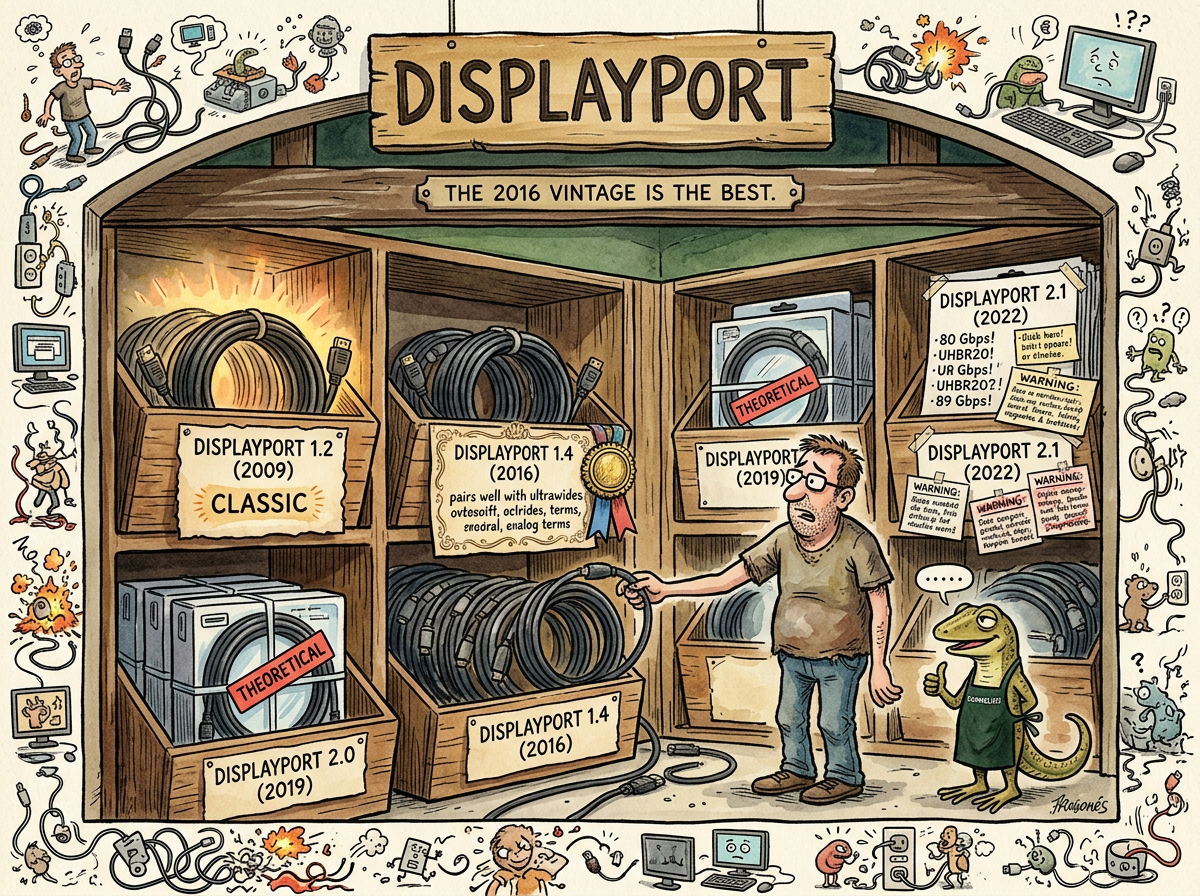
DisplayPort is a digital display interface standard maintained by VESA, first released in 2006, currently on version 2.1, and most reliably used at version 1.4 — which is from 2016 and carries 7680x2160 at 120Hz with DSC compression, supports DDC/CI monitor control, handles DPMS wake-up more gracefully than its successors, and generally behaves like a cable standard should behave: boringly, predictably, and without requiring the developer to understand link training.
DisplayPort is the correct display cable for developers. HDMI is the correct display cable for televisions. The difference is that DisplayPort was designed by engineers who expected the user to sit two feet from the display and care about pixel-perfect rendering, and HDMI was designed by a consortium that expected the user to sit ten feet from the display and care about DRM.
The Versions
| Version | Year | Bandwidth | What It Added | What It Broke |
|---|---|---|---|---|
| 1.0 | 2006 | 8.64 Gbps | DisplayPort | Nothing (nothing existed to break) |
| 1.2 | 2009 | 17.28 Gbps | MST (daisy-chaining), higher refresh rates | Nothing significant |
| 1.4 | 2016 | 25.92 Gbps | DSC, HDR10, HBR3 | Nothing (the golden age) |
| 2.0 | 2019 | 77.37 Gbps | UHBR, theoretical 16K support | Never shipped in meaningful volume |
| 2.1 | 2022 | 77.37 Gbps | Cable certification, improved UHBR | DDC/CI (on some monitors), reliable DPMS wake (on some panels) |
The pattern: each version increases bandwidth and adds features. Each version after 1.4 trades reliability for throughput. DP 1.4 is the local maximum — the version where everything works, everything talks, and the cable’s only limitation (bandwidth) is solved by DSC compression that the monitor demands anyway.
The Bandwidth Paradox
DisplayPort 2.1 provides 80 Gbps of raw bandwidth. A 7680x2160 display at 120Hz with 10-bit color requires 60 Gbps uncompressed. DP 2.1 has 20 Gbps of headroom. The signal could be sent uncompressed.
The signal is not sent uncompressed.
The Samsung Odyssey G95NC — and an increasing number of high-resolution displays — requires DSC in its EDID regardless of available bandwidth. The monitor demands compression even when the cable could carry the uncompressed signal. The GPU complies because the GPU always complies with the EDID. The result: DP 2.1’s additional bandwidth is unused, DSC is active on both cable versions, and the only functional difference between DP 1.4 and DP 2.1 is that 1.4 supports DDC/CI and 2.1 doesn’t.
The newer cable has more bandwidth. The newer cable uses the same compression. The newer cable breaks the monitor control protocol. The developer downgrades to 1.4 and gains functionality by losing specifications.
“The old cable knew how to talk. The new cable knew how to shout. Talking is better.”
— The Lizard
The UHBR Problem
DP 2.1 uses UHBR (Ultra High Bit Rate) signaling — a 128b/132b encoding scheme that replaces DP 1.4’s 8b/10b encoding. UHBR is more efficient (97% data efficiency vs 80%) and faster (20 Gbps per lane vs 8.1 Gbps per lane).
UHBR also changes the electrical characteristics of the link in ways that affect the I2C side-channel that carries DDC/CI. The side-channel was designed for the slower, simpler signaling of earlier DP versions. UHBR’s higher frequencies and different equalization requirements can interfere with I2C communication, producing the specific three-word error that no developer wants to see:
DDC communication failed
Not every monitor fails. Not every GPU fails. The failure is a function of the specific combination of monitor firmware, GPU driver, cable quality, and the alignment of conditions that hardware engineers describe as “signal integrity” and developers describe as “it worked yesterday.”
The fix is always the same: DP 1.4. The 2016 cable. The one that works.
DP vs HDMI
DisplayPort and HDMI are both digital display interfaces. The differences are philosophical:
DisplayPort is designed for computers. It carries video, audio, and USB over a single cable. It supports daisy-chaining (MST). It supports variable refresh rate without branding it “FreeSync” or “G-Sync.” It does not require a license fee. Its connector locks in place. It was designed by VESA, an engineering standards body.
HDMI is designed for consumer electronics. It carries video, audio, and CEC (Consumer Electronics Control — the protocol that lets your TV remote control your soundbar). It supports ARC (Audio Return Channel). It supports HDCP (copy protection). It requires a per-device license fee. Its connector does not lock. It was designed by a consortium of consumer electronics companies.
The developer uses DisplayPort because DisplayPort respects the developer. HDMI respects the content owner.
Measured Characteristics
- DisplayPort versions: 6 (1.0 through 2.1)
- The version that works: 1.4 (2016)
- The version that’s newest: 2.1 (2022)
- The version developers should use: 1.4
- Bandwidth of DP 1.4: 25.92 Gbps (sufficient with DSC)
- Bandwidth of DP 2.1: 77.37 Gbps (excessive, still compressed)
- DDC/CI support on DP 1.4: yes
- DDC/CI support on DP 2.1: maybe (depends on monitor firmware)
- DSC on DP 1.4: yes (the monitor demands it)
- DSC on DP 2.1: yes (the monitor still demands it)
- Image quality difference between versions: none (same DSC, same pixels)
- Functionality difference between versions: DP 1.4 talks to the monitor, DP 2.1 doesn’t
- The 2016 vintage: recommended by the sommelier
See Also
- DDC/CI — The whisper protocol that only works on DP 1.4.
- DSC — The compression both versions use, because the monitor insists.
- DPMS — The power management protocol that DP 2.1’s link training makes less reliable.
- The Nesting — Where DP 2.1 was tested, found wanting, and downgraded to 1.4.
- Boring Technology — DP 1.4 is boring. DP 1.4 works. These facts are related.