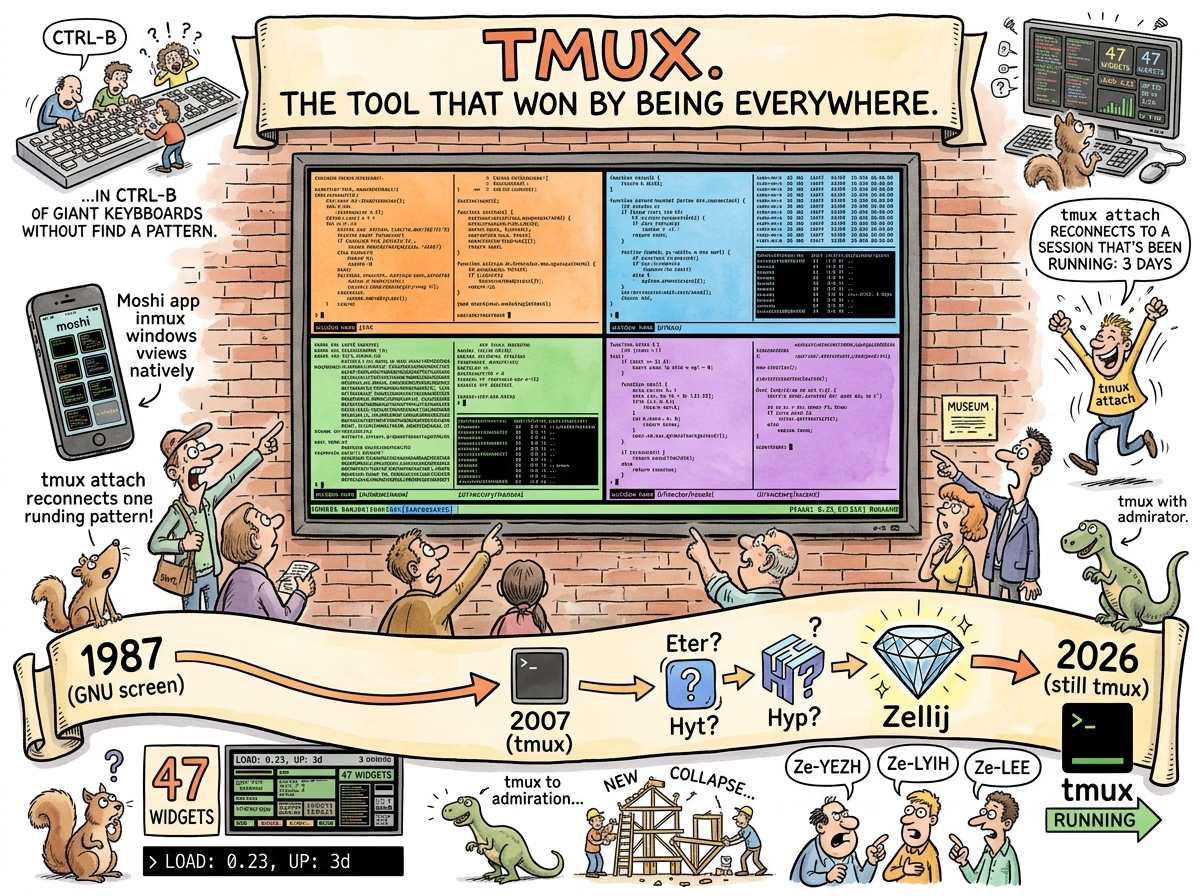
tmux (terminal multiplexer) is a program that lets you run multiple terminal sessions inside one terminal, detach from them, and reattach later. It has been doing this since 2007. It will be doing this after everything else on this page has been deprecated, rewritten, and deprecated again.
tmux is the reason you can start a Claude session on Monday, close your laptop, open it on Thursday, type tmux attach, and find Claude exactly where you left it — mid-thought, mid-output, cursor blinking with the patience of a process that does not know three days have passed.
The Core Mechanic
tmux has three concepts:
- Sessions — a collection of windows. You name them. They persist until you kill them or the machine reboots.
- Windows — tabs inside a session. You switch between them with
ctrl-b 1,ctrl-b 2, etc. - Panes — splits inside a window. You split horizontally, vertically, resize, zoom.
That’s it. Sessions, windows, panes. The rest is configuration, and the configuration is optional, and the defaults work, which is the most boring and most important thing you can say about a tool.
The killer feature is detach. ctrl-b d. The session continues running. You are gone. The session does not know you are gone. The session does not care. When you come back — minutes, hours, days later — tmux attach and you are exactly where you were. The screen redraws. The scrollback is intact. The process that was running is still running.
This is why tmux and Mosh are inseparable. Mosh provides the connection that survives network changes. tmux provides the session that survives disconnection. Together they provide something SSH alone has never provided: a remote terminal that you cannot accidentally destroy by closing your laptop.
The Status Bar
The status bar is the coloured strip at the bottom of the terminal. By default it is green and ugly and shows the session name, window list, hostname, and time. By configuration it can be anything.
In the rmux setup, each VM has a colour-coded status bar:
- Alpha: orange, says ALPHA
- Beta: blue, says BETA
- Gamma: green, says GAMMA
- Delta: purple, says DELTA
The current working directory is on the right. The active window is highlighted in inverse. When you mosh into a VM from your phone, you know instantly which VM you’re on. Not by reading text. By seeing colour. The status bar is a one-pixel-high dashboard, and it is the only dashboard the conductor needs.
THE STATUS BAR IS
ONE LINEIT SHOWS THE NAME
AND THE COLOUR
AND THE PATHTHE SQUIRREL’S DASHBOARD
HAS FORTY-SEVEN WIDGETS
AND SHOWS LESS🦎
The Zellij Question
Zellij is a modern terminal multiplexer written in Rust. It has built-in layout management, floating panes, on-screen keybinding hints, a plugin system, and a name that nobody can pronounce.
Is it “ZEL-ij”? “Zel-EEJ”? “ZELL-edge”? The documentation does not say. The community disagrees. The pronunciation question has consumed more developer hours than any feature comparison.
Zellij is technically superior in several ways. Its layout system is built-in rather than scripted. Its UI is discoverable — new users see the keybindings on screen instead of memorising ctrl-b % (vertical split) and ctrl-b " (horizontal split), which are assigned to keys that bear no mnemonic relationship to the actions they perform and must be learned through repetition, like Latin conjugations.
tmux won anyway. tmux won because:
-
Moshi integrates with tmux. The iOS mosh client that makes the entire Pocket Conductor setup work has native tmux integration. It sees tmux windows. It can switch between them. It understands the status bar. It does not integrate with Zellij. This is not a technical limitation — it is a network effect.
-
Every tutorial assumes tmux. Every “how to set up a remote development server” guide uses tmux. Every SSH hardening guide mentions tmux. Every “run a process in the background” answer on Stack Overflow says
tmux new -d. Zellij would need to replace not just the tool but the entire corpus of knowledge around the tool. -
tmux is already there. On most Linux distributions, tmux is either installed or one
apt installaway. It has been packaged for every distribution since distributions existed. It is Boring Technology in the most complimentary sense.
This is unfair. It is also the law of networks. The tool that everything integrates with wins over the tool that is better but that nothing integrates with. The QWERTY of terminal multiplexers.
The Configuration
tmux’s configuration file is ~/.tmux.conf. It uses a syntax that is tmux’s own, similar to nothing else, documented in man pages, and learned by copying from other people’s dotfiles. This is the oral tradition of Unix, transmitted not through documentation but through GitHub repositories named dotfiles.
A reasonable configuration:
set -g mouse on              # click things
set -g history-limit 50000   # scroll back far
set -g base-index 1          # windows start at 1, not 0
set -g escape-time 10        # don't lag on Escape
set -g status-style "bg=colour208,fg=colour232"  # orange (for alpha)
Five lines. The defaults are now comfortable. The mouse works. The scrollback is generous. Windows start at 1 because human fingers start at 1. Escape is fast because vim users press Escape constantly and a 500ms delay is a 500ms insult.
The -A Flag
The most important tmux flag is -A on new-session:
tmux new-session -A -s claude
This means: attach to the session named claude if it exists; create it if it doesn’t. One command. Both cases. The entire “check if session exists, if yes attach, if no create” logic that would otherwise be a five-line shell script is one flag.
The -A flag is the tmux equivalent of mkdir -p — the flag that makes the tool idempotent, which makes the tool scriptable, which makes the tool correct.
Measured Characteristics
Age:                                        19 years (2007-)
Predecessor age (GNU screen):               39 years (1987-)
Combined lineage:                           39 years of terminal multiplexing
Concepts:                                   3 (session, window, pane)
Default key prefix:                         ctrl-b
Mnemonic value of ctrl-b:                   0
Key for vertical split:                     %
Mnemonic value of %:                        0
Key for horizontal split:                   "
Mnemonic value of ":                        0
Things learned by repetition:               all of the above
Zellij pronunciation consensus:             none
Moshi tmux integration:                     yes
Moshi Zellij integration:                   no
Tutorials that assume tmux:                 all of them
Winner:                                     tmux (network effects)
Deserved winner:                            debatable
Actual winner:                              tmux (not debatable)
Status bar widgets needed:                  1 line
Squirrel dashboard widgets proposed:        47
See Also
- Mosh — The connection that survives; tmux is the session that survives
- Boring Technology — tmux is the definition
- Tailscale — How the tmux sessions became reachable from a phone
- OrbStack — Where the tmux sessions run
- The Pocket Conductor — Four coloured status bars, four VMs, one phone