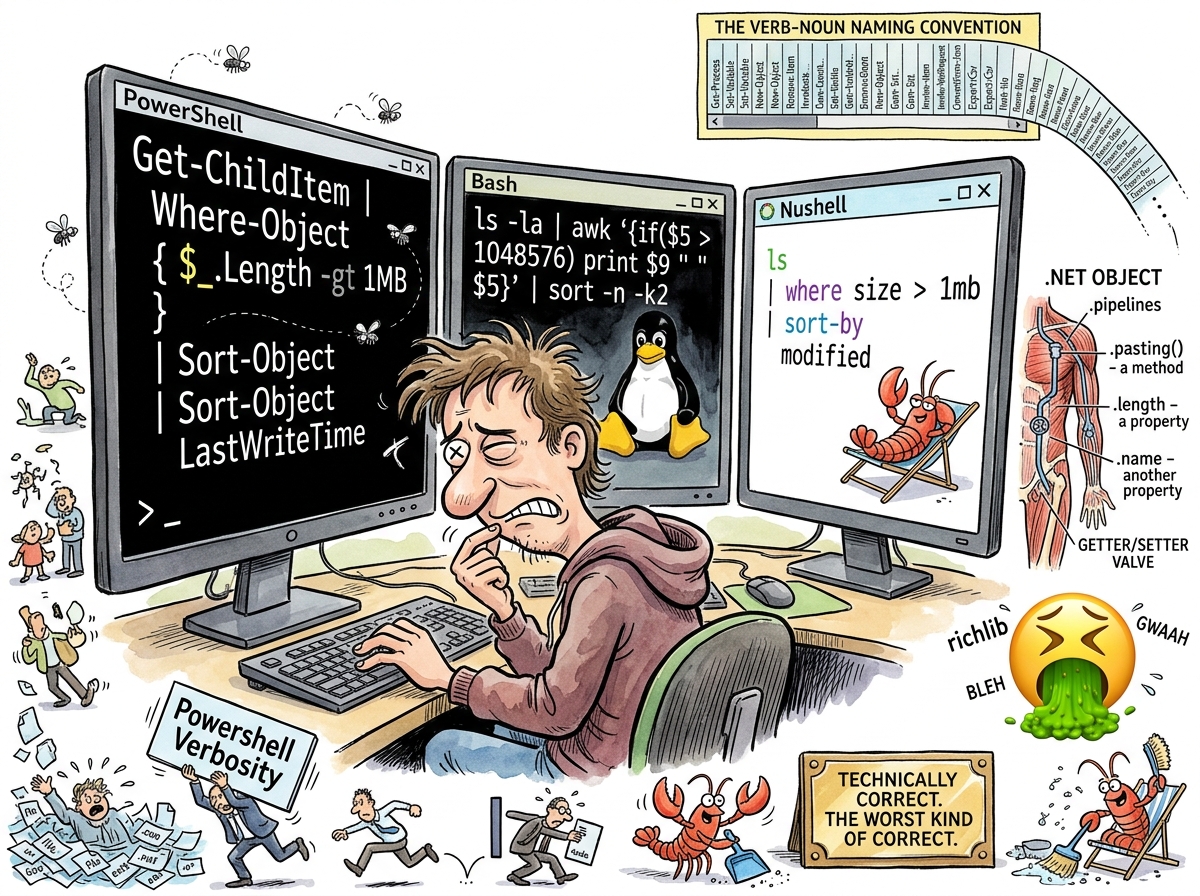
PowerShell is a shell and scripting language created by Jeffrey Snover at Microsoft in 2006. It pipes objects instead of text. It uses a consistent verb-noun naming convention. It has a real type system, error handling, and a scripting language that is actually a programming language. It is technically superior to Bash in almost every measurable dimension.
riclib’s reaction: 🤮
This requires explanation, because the revulsion is not about capability. The revulsion is about aesthetics, and in tools you use eight hours a day, aesthetics are not superficial — aesthetics are the interface.
“PowerShell is the shell that is right about everything and wrong about how it feels. The objects in pipes are right. The verb-noun naming is right. The type system is right. And I would rather type awk ‘{print $5}’ for the rest of my life than type Get-ChildItem one more time.”
— riclib, on the gap between correctness and joy
The Right Ideas
PowerShell got several things right before anyone else:
Objects in pipes. In 2006 — thirteen years before Nushell — PowerShell piped .NET objects through the pipeline instead of text. Get-Process didn’t output text that looked like a process list. It output System.Diagnostics.Process objects with typed properties: .Name, .Id, .CPU, .WorkingSet. Filtering was Where-Object { $_.CPU -gt 10 }, not awk and grep and hoping the columns aligned.
Discoverability. Get-Command *process* shows all commands related to processes. Get-Help Get-Process shows help. Get-Member shows an object’s properties and methods. The shell is self-documenting. Every other shell requires you to know the commands first. PowerShell helps you find them.
Consistency. Every command follows verb-noun naming: Get-Process, Set-Variable, New-Object, Remove-Item, Invoke-WebRequest, ConvertFrom-Json. Once you know the pattern, you can guess commands. Get- retrieves. Set- modifies. New- creates. Remove- deletes. This is logical. This is learnable. This is correct.
Error handling. try/catch/finally. Real exceptions. Real stack traces. Not set -e and hoping.
These are genuinely good ideas. Nushell would later implement many of them — structured data in pipes, typed values, proper error handling — with a Unix aesthetic instead of a .NET aesthetic.
The Wrong Aesthetic
And yet.
Get-ChildItem instead of ls.
Select-Object instead of cut.
Where-Object { $_.Property -eq "value" } instead of grep value.
Invoke-WebRequest instead of [curl](/wiki/curl).
ConvertFrom-Json instead of jq.
ForEach-Object { $_ } instead of xargs.
Every command is longer. Every command is more explicit. Every command is more “correct” in the sense that it says exactly what it does. And every command takes three times as long to type as the Unix equivalent, which is a problem when the tool is something you type into a thousand times a day.
The verb-noun convention means that PowerShell commands read like enterprise documentation. Get-ChildItem -Path C:\Users -Recurse -Filter *.log | Where-Object { $_.LastWriteTime -gt (Get-Date).AddDays(-7) } | Sort-Object Length -Descending | Select-Object -First 10 Name, Length is a perfectly clear, perfectly readable, perfectly self-documenting command. It is also 214 characters long. The Bash equivalent is find /Users -name '*.log' -mtime -7 -exec ls -s {} + | sort -rn | head -10, which is 70 characters and does the same thing.
Brevity is not clarity. But in a shell — in the tool you type into reflexively, where muscle memory matters, where the speed of thought-to-command is the speed of work — brevity is velocity, and velocity matters.
The .NET Tax
PowerShell’s objects are .NET objects. This means the shell carries the full weight of the .NET runtime: type loading, assembly resolution, CLR startup, garbage collection. Get-Process doesn’t return a simple table. It returns an array of System.Diagnostics.Process objects, each with dozens of properties and methods inherited from System.ComponentModel.Component, which inherits from System.MarshalByRefObject, which inherits from System.Object.
You asked for a process list. You got an object graph.
This is technically powerful — you can call .Kill() on a process object, you can access .Threads[0].StartAddress, you can do things that Bash requires separate utilities for. But it is also heavy, slow to start, and it makes every interaction feel like you are programming in C# with extra steps, because you are programming in C# with extra steps.
Measured Characteristics
Year created:                            2006
Creator:                                 Jeffrey Snover (Microsoft)
Runtime:                                 .NET (CLR — the full weight of it)
Pipeline content:                        .NET objects (typed, with methods, properties, inheritance)
Pipeline content (Bash):                 text (untyped, unstructured, fast)
Naming convention:                       Verb-Noun (Get-Process, Set-Variable, Remove-Item)
Characters in 'ls' equivalent:           14 (Get-ChildItem)
Characters in 'ls':                      2
Ratio:                                   7:1 (and this is the simplest example)
Objects in pipes:                        correct idea (13 years before Nushell)
Aesthetic:                               enterprise (.NET flavoured)
riclib's reaction:                       🤮
Technical quality:                       genuinely good
Emotional quality:                       genuinely bad
The gap:                                 between being right and feeling right
See Also
- cmd — The shell PowerShell was built to replace. cmd is still here. PowerShell is also still here. Both are still here. Nothing ever dies on Windows.
- Nushell — The shell that took PowerShell’s best idea (structured data in pipes) and gave it a Unix aesthetic. PowerShell had it first. Nushell has it better.
- Bash — The shell that is technically inferior and universally preferred.
lsbeatsGet-ChildItemnot because it’s better but because it’s shorter and the fingers already know it. - sh — The ancestor that PowerShell tried to transcend. sh pipes text. PowerShell pipes objects. sh is still here. PowerShell is also still here. The text is still flowing.