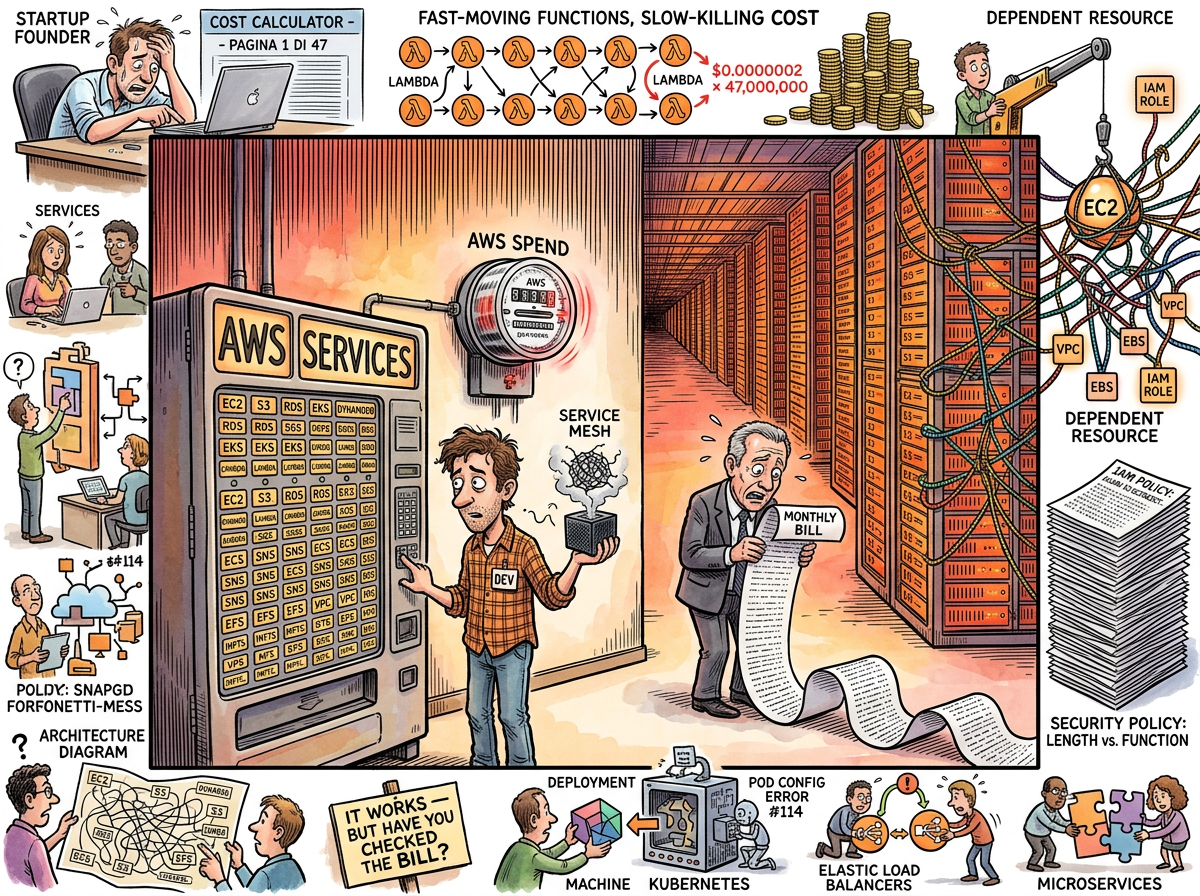
AWS (Amazon Web Services) is a cloud computing platform that offers approximately 240 services, each with its own pricing model, each with its own console, and each capable of generating a monthly bill that makes the CTO question whether the company is running a software business or subsidizing Amazon’s space programme.
AWS was launched in 2006 with three services: S3 (storage), SQS (queues), and EC2 (virtual machines). This was elegant. This was simple. This was the last time anyone used the word “simple” to describe AWS. Twenty years later, the service catalogue reads like an encyclopedia written by an organization that cannot stop inventing things: Lambda, Fargate, EKS, ECS, Lightsail, App Runner, Elastic Beanstalk — seven different ways to run a container, each with different pricing, different limitations, and different 47-page documentation sections that all begin with “Getting Started.”
“Our AWS bill dropped to $8,000 a month. Our uptime went from 99.9% to 99.997%.”
— An engineer who removed 47 microservices and Kubernetes, The Squirrel’s Betrayal — The New York Times Discovers YAGNI
The Bill
The AWS bill is not a document. It is an experience. It arrives monthly, formatted in a way that simultaneously reveals and conceals the total cost — line items nested inside line items, data transfer charges hidden beneath compute charges, and a section called “Other” that contains more money than the sections with names.
The canonical AWS bill in the lifelog is £47,000 per month — the cost of running forty-seven Microservices, a Kubernetes cluster, a service mesh, Redis (for caching queries that returned in twelve milliseconds), and the associated Grafana dashboard that looked like a Christmas tree. The monolith it replaced cost £400 per month. On the same cloud. Running at 3% CPU.
“The board approved forty-seven millisecond response times and happy customers. They didn’t approve a Christmas tree Grafana dashboard and a forty-seven thousand pound monthly AWS bill.”
— The Consultant, Interlude — The Blazer Years
The ratio is 117.5:1. Not because AWS is expensive — AWS is, per unit of compute, remarkably cheap. The ratio exists because AWS makes it easy to add services, invisible to track costs, and unthinkable to remove anything once it’s running, because removing a service might break another service that nobody remembers deploying.
The 240 Services Problem
AWS’s service catalogue is the Premature Abstraction of infrastructure. Every problem has a dedicated AWS service. Many problems have three dedicated AWS services. Some problems have a dedicated AWS service, a serverless version of that service, a container-compatible version, and a “simplified” version that is simpler only in the sense that it has fewer features and the same pricing complexity.
The developer who needs to run a web application faces:
- EC2: virtual machines (you manage everything)
- ECS: container orchestration (you manage some things)
- EKS: Kubernetes (you manage Kubernetes, which means you manage everything again, differently)
- Fargate: serverless containers (you manage nothing, allegedly)
- Lambda: serverless functions (you manage nothing, until cold starts)
- App Runner: “just deploy” (launched 2021, documentation still says “Getting Started”)
- Lightsail: “the simple one” (exists to acknowledge that the others aren’t)
- Elastic Beanstalk: PaaS (exists, technically)
Each option has a different pricing model. Each pricing model has reserved instances, spot instances, savings plans, and on-demand rates. The pricing calculator requires more engineering skill than the application being deployed.
The IAM Labyrinth
AWS Identity and Access Management (IAM) is the system that controls who can do what in AWS. It is also the system that ensures nobody fully understands who can do what in AWS.
An IAM policy is a JSON document that specifies, with the precision of a legal contract and the readability of a legal contract, which actions are allowed on which resources under which conditions. A typical production AWS account contains between 200 and 2,000 IAM policies. Nobody has read all of them. Nobody will read all of them. The policies interact in ways that produce emergent permissions — capabilities that no single policy grants but that the combination of policies allows.
The most common IAM debugging technique is adding "Effect": "Allow", "Action": "*", "Resource": "*" — which grants full access to everything — testing whether it works, and then forgetting to remove it. This policy exists in approximately 30% of production AWS accounts.
The Lock-In
AWS lock-in is not contractual. It is architectural. You do not sign a contract saying you will use AWS forever. You use DynamoDB, and then you cannot leave, because DynamoDB’s data model has no equivalent elsewhere. You use SQS, and then you cannot leave, because SQS’s exactly-once delivery semantics are wired into your retry logic. You use Lambda, and then you cannot leave, because your application is not an application anymore — it is 347 functions triggered by 12 event sources, none of which exist outside AWS.
The lock-in is gentle. The lock-in is incremental. The lock-in is the natural consequence of building on proprietary services that are slightly better than the open-source alternatives and significantly more convenient. By the time you notice the lock-in, you have been locked in for three years and the migration estimate is eighteen months and $4 million.
The Hetzner Comparison
The lifelog runs on a Hetzner dedicated server. Ryzen 9 7950X3D. 128GB RAM. 2TB NVMe. €109/month.
An equivalent AWS instance — an m7a.4xlarge (16 vCPUs, 64GB RAM, half the Hetzner spec) — costs approximately $900/month on-demand. With reserved pricing and a three-year commitment: approximately $400/month, for half the machine.
The Hetzner server runs at 0.01 load average. It uses 2.9GB of its 128GB RAM. The lifelog binary is 38MB. The deployment is scp and systemctl restart. There is no IAM. There is no VPC. There is no pricing calculator. There is one server, one binary, and a monthly bill that would not cover an hour of AWS consulting.
Measured Characteristics
- Services offered: ~240
- Services understood by any one human: ~15
- Pricing models per service: 3–7
- Monthly bill readability: classified
- IAM policies per production account: 200–2,000
- IAM policies fully understood: 0
- Ways to run a container: 7
- Canonical microservices AWS bill: £47,000/month
- Monolith that replaced them: £400/month
- Ratio: 117.5:1
- Hetzner equivalent: €109/month
- Percentage of AWS bill that is data transfer: always more than you think