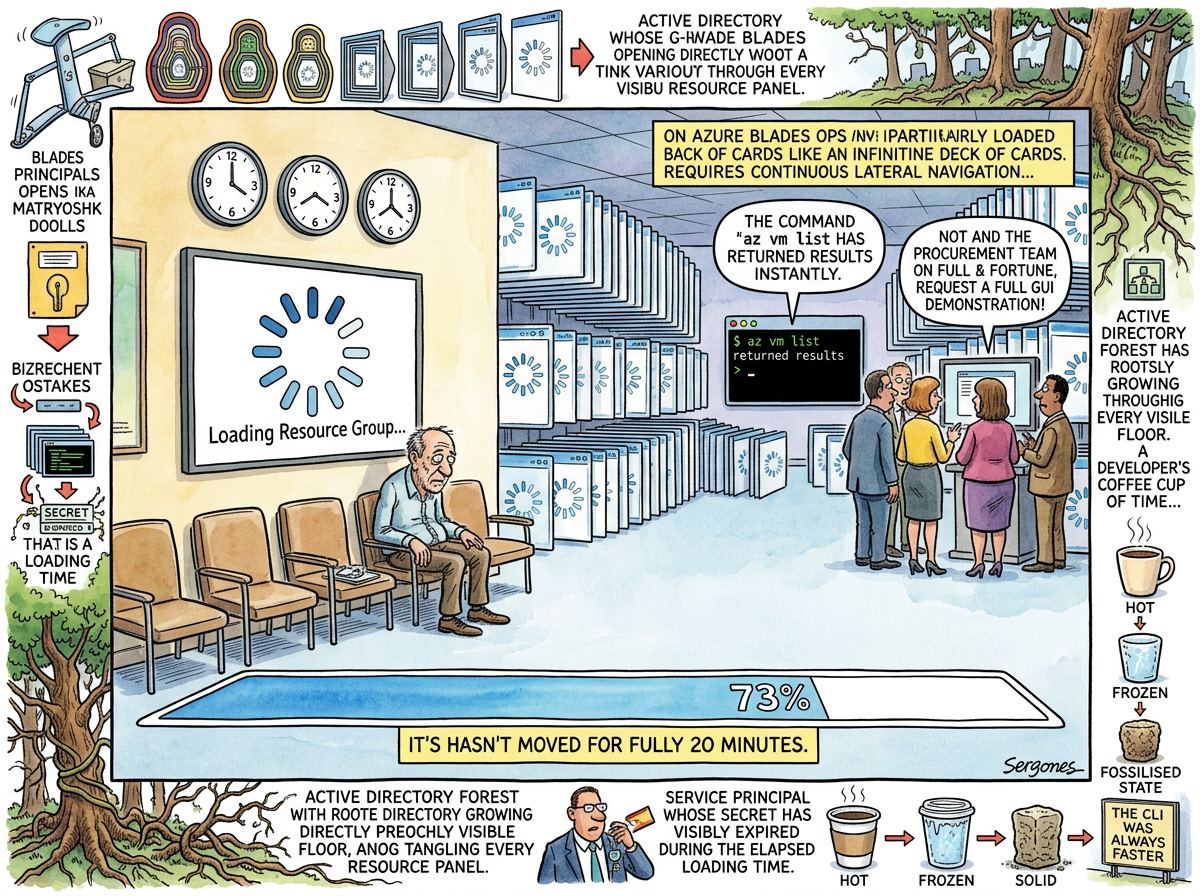
Azure Portal (portal.azure.com) is the web-based management interface for Azure, which exists to demonstrate that a trillion-dollar company with the engineering resources to build Excel, Visual Studio, and Windows can also build a web application that takes thirty seconds to display a list of virtual machines.
The Azure Portal is not slow in the way that a heavy web application is slow. The Azure Portal is slow in the way that geology is slow — visible over time, imperceptible in any given moment, and fundamentally reshaping the landscape of the developer’s afternoon. Each click opens a “blade” (Azure’s term for a panel that slides in from the right, because Azure was designed during Microsoft’s brief infatuation with Windows 8’s horizontal scrolling paradigm). Each blade takes between 3 and 45 seconds to load. A typical administrative task requires 5–12 blades. The cumulative loading time exceeds the time spent on the task itself, which is the Azure Portal’s most consistent design pattern: the infrastructure for doing the work takes longer than the work.
The Blade Dimension
The blade is the Azure Portal’s fundamental UI metaphor, and it is a metaphor for Azure’s entire philosophy: everything is connected, everything is nested, and everything takes longer than you expect.
Clicking “Resource Groups” opens a blade. Clicking a resource group opens a blade inside the blade. Clicking a resource opens another blade. Clicking “Settings” opens another blade. Clicking “Access Control (IAM)” opens another blade. Each blade loads independently. Each blade may fail independently. Each blade maintains its own scroll position, its own loading state, and its own relationship with reality.
The developer navigating the Azure Portal does not navigate a page. The developer navigates a horizontal hallway of panels that extends infinitely to the right, each one partially obscuring the previous, until the browser’s memory usage exceeds the RAM of the virtual machine being managed.
The back button does not work the way the back button works. The back button works the way Azure thinks the back button should work, which is to say: it closes the rightmost blade, unless it doesn’t, in which case it navigates away from the portal entirely, losing all context, all blades, and all progress — which must then be reconstructed from scratch, one thirty-second loading spinner at a time.
The Customer Deployment Experience
The lifelog’s most documented encounter with the Azure Portal is preserved in The Thread Before the Name, in which riclib attempted to access Azure Blob Storage for a customer’s Databricks audit logs.
The task was simple: authenticate to Azure, list storage containers, download NDJSON files. The obstacles were Azure:
The Missing Hyphen — A client secret ending in - was truncated by the email client. The Azure Portal’s error message — AADSTS7000215: Invalid client secret provided — offered no hint that the secret was incomplete. Debugging this required comparing the secret character by character, which is not a task the Azure Portal assists with, because the Azure Portal does not display service principal secrets after creation. The secret is shown once, in a modal that auto-closes, and then it is gone forever.
“A single hyphen, truncated by an email client that had decided, in its infinite wisdom, that secrets ending in
-were a formatting choice.”
— The Thread Before the Name
The Container Safari — Once authenticated, the storage account revealed thirty-seven containers with names like insights-logs-clusters, insights-logs-jobs, and databricks-cluster-logs. Three of them contained the word “clusters.” The correct one was identified by the ancient engineering methodology of “the one that feels right.”
The Blob Whisperer — Navigating Azure Blob Storage through the Portal means: click the storage account blade (8 seconds), click Containers (6 seconds), click the container (12 seconds), click a blob (5 seconds), wait for the preview to load (15 seconds), discover the preview doesn’t support NDJSON, download the blob manually, parse it locally.
The developer abandoned the Portal and wrote a Python script. The Python script was faster than the Portal. A CLI tool written in real time, by hand, during the task, was faster than the professionally designed management console of the second-largest cloud provider on Earth.
The Knowledge Transfer Defence
riclib’s solution to the Azure Portal was not technical but organisational: free knowledge transfer sessions for customer administrators.
The logic was simple. Every customer deployment requires someone to navigate the Azure Portal — creating service principals, configuring storage accounts, setting up networking, managing IAM. This someone can be riclib, who will lose hours to loading spinners and blade navigation and service principal secrets that vanish after being displayed once. Or this someone can be the customer’s own Azure administrator, who already has the Portal open, already knows where the blades are, and — crucially — already has the muscle memory for clicking through thirty-second loading sequences without losing the will to live.
The knowledge transfer is free. The knowledge transfer teaches the customer’s admin everything they need to deploy and maintain the application. The knowledge transfer is framed as generous customer support. The knowledge transfer is, in fact, a sophisticated defensive manoeuvre to ensure that riclib never has to open the Azure Portal again.
“Step 1: Get credentials (expect them to be wrong). Step 2: List things (expect to pick the wrong one). Step 3: Download something (expect it to be the wrong format).”
— The actual deployment methodology, The Thread Before the Name
The CLI That Was Always There
Every Azure Portal task can be accomplished faster with az cli. This is not an opinion. This is a measurable fact:
Task                          Portal        az cli
List VMs                      30 seconds    2 seconds
Create service principal      4 minutes     8 seconds
Check IAM role assignment     45 seconds    3 seconds
Navigate to a storage blob    1 minute      4 seconds
Deploy a resource template    "loading..."  12 seconds
The CLI returns results before the Portal finishes loading the blade that would display the same results. The CLI does not have blades. The CLI does not have loading spinners. The CLI has a prompt, a command, and an answer. It is Boring Technology applied to cloud management: the least exciting interface that actually works.
The Portal persists because enterprise procurement decisions are made by people who want to see a GUI. The GUI exists for the demo. The demo exists for the procurement committee. The procurement committee exists to justify the Enterprise Agreement. The Enterprise Agreement exists to lock in Azure. Azure exists to generate Portal loading spinners. The circle is complete.
Measured Characteristics
- Average blade load time: 3–45 seconds
- Blades per typical admin task: 5–12
- Cumulative Portal time per task: 2–10 minutes
- Equivalent az cli time: 5–30 seconds
- Ratio: 10–20:1
- Service principal secrets shown: once (then gone forever)
- Missing hyphens in client secrets (documented): 1
- Azure containers named ambiguously: 37 (three with “clusters”)
- Knowledge transfer sessions offered (free): standing policy
- Reason for free knowledge transfer: never touch the Portal again
- The CLI was always faster: yes