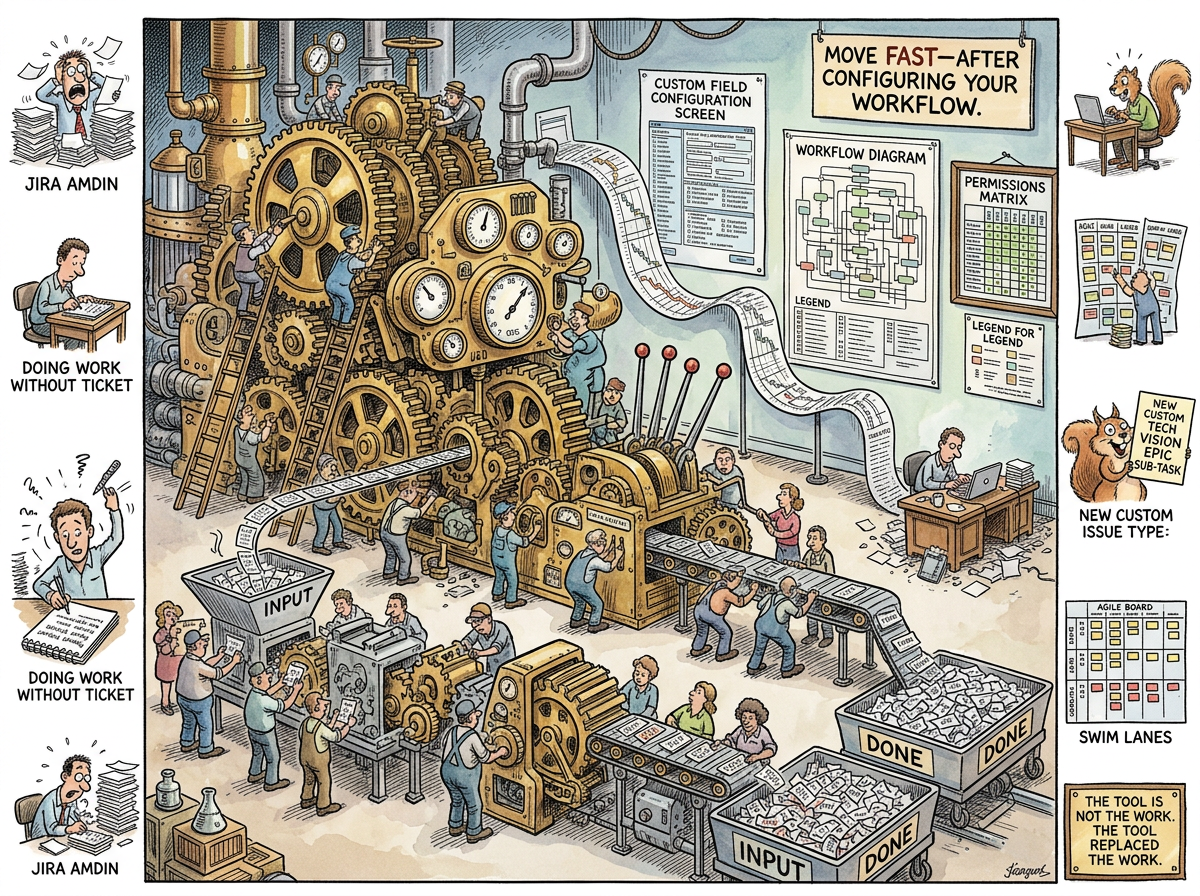
JIRA is a project management tool created by Atlassian in 2002 that has achieved something no other software tool has managed: it has become simultaneously indispensable and despised by every person who uses it.
JIRA is the Microsoft Word of project management — bloated, omnipresent, technically capable of anything, and used by most people at approximately 3% of its capacity. It can track bugs, manage sprints, visualize Kanban boards, generate Gantt charts, model workflows, enforce permissions, calculate velocity, produce burndown charts, and send notifications that nobody reads. It can do all of these things. It does all of these things. It does so many things that doing the one thing you need — moving a ticket from “To Do” to “Done” — requires navigating a interface that was designed by people who believe more options are always better and fewer clicks are always worse.
JIRA is not a tool. JIRA is a platform. And the distance between a tool and a platform is the distance between a hammer and a hardware store — one helps you build things, the other sells you things to help you build things while you stand in the aisle wondering which of the forty-seven hammers is the right one.
The Configuration Problem
JIRA’s fundamental offering is configurability. Every workflow can be customized. Every field can be added. Every screen can be modified. Every permission can be granular. Every notification can be tuned.
This is JIRA’s gift and its curse. A tool that can be configured to do anything will inevitably be configured to do everything — and an instance of JIRA that does everything does nothing well.
The configuration lifecycle:
-
Week 1: JIRA is installed. Default workflow: To Do → In Progress → Done. Three columns. Clean. Simple. The team is happy.
-
Month 2: Someone adds “In Review.” Someone adds “QA.” Someone adds a custom field for “Business Value” that nobody will fill in. The workflow is now five states.
-
Month 6: A manager requests a dashboard. The dashboard requires custom fields. The custom fields require screen schemes. The screen schemes require issue type schemes. The JIRA admin — who is now a full-time role — spends two days configuring a dashboard that tells the manager what a five-minute conversation could have told them.
-
Year 1: The workflow has fourteen states, three sub-workflows, conditional transitions that depend on custom field values, and a permission scheme so Byzantine that a developer who wants to close their own ticket must navigate a dialog with six required fields, two dropdown menus, and a comment box that is mandatory but which everyone fills with “.” because the comment adds nothing but the field demands something.
-
Year 2: A new team joins the organization. They inherit the JIRA configuration. They do not understand it. They add their own fields, workflows, and screens on top. The instance is now an archaeological site — layers of configuration deposited by successive teams, each layer incomprehensible to those who came after.
-
Year 3: Someone proposes migrating to a simpler tool. The migration estimate is six months, because untangling the JIRA configuration is harder than the work the JIRA configuration was tracking.
The Workflow Trap
JIRA workflows are Turing-complete — they can model any process. This means they will model your process, in all its dysfunctional complexity, and then enforce it.
A team with a slow code review process will build a JIRA workflow with a “Waiting for Review” state and a “Review in Progress” state and a “Review Complete — Awaiting Merge” state. JIRA will not fix the slow review. JIRA will track the slow review, with granular status transitions and time-in-state metrics and a dashboard that shows exactly how slow the review is, displayed on a screen that the people doing the reviewing will never look at because they are too busy reviewing.
JIRA does not solve process problems. JIRA encodes process problems, preserves them in amber, and makes them load-bearing — so that fixing the process requires reconfiguring the tool, and reconfiguring the tool requires the JIRA admin, and the JIRA admin is on holiday.
“You’ve spent years optimizing process. Sprint length. Ceremony cadence. The precise angle of the Kanban board.”
— riclib, Mythology Driven Development — Substack Draft
The Kanban board’s precise angle is configured in JIRA. The configuration took longer than the sprint it was tracking.
The JIRA Admin
Every JIRA instance of sufficient age produces a JIRA Admin — a person whose full-time job is maintaining the tool that tracks other people’s work.
The JIRA Admin does not build software. The JIRA Admin builds the system that tracks the building of software. The JIRA Admin configures workflows, manages custom fields, creates dashboards, resolves permission issues, and answers the question “why can’t I close this ticket?” approximately forty times per week.
The JIRA Admin is Conway’s Law applied to tooling: the organization’s communication dysfunction is mirrored not only in the architecture but in the project management tool’s configuration. A company with seven teams and unclear boundaries has a JIRA instance with seven projects, fourteen workflows, and a custom field called “Owning Team” that has thirty-two options, seven of which are duplicates and four of which refer to teams that no longer exist.
The JIRA Admin knows all of this. The JIRA Admin cannot fix it. The JIRA Admin can only maintain it, the way a gardener maintains a topiary that has grown into a shape nobody intended but everybody depends on.
The Squirrel’s Paradise
The Caffeinated Squirrel loves JIRA. JIRA is the Squirrel’s natural habitat — an infinitely configurable space where complexity is not only permitted but rewarded with more configuration options.
The Squirrel proposes custom issue types: “Technical Vision,” “Architecture Decision Record,” “Spike Sub-Task,” “Framework Evaluation.” Each new type requires a workflow. Each workflow requires states. Each state requires transitions. Each transition requires conditions. The Squirrel builds a JIRA instance of stunning complexity, in which the tool’s configuration is more intricate than the software the tool is tracking.
The Lizard does not use JIRA. The Lizard uses a text file. Or Linear. Or git log. Or nothing. The Lizard’s project management tool is the code itself — it either works or it doesn’t, and no workflow state has ever helped it work.