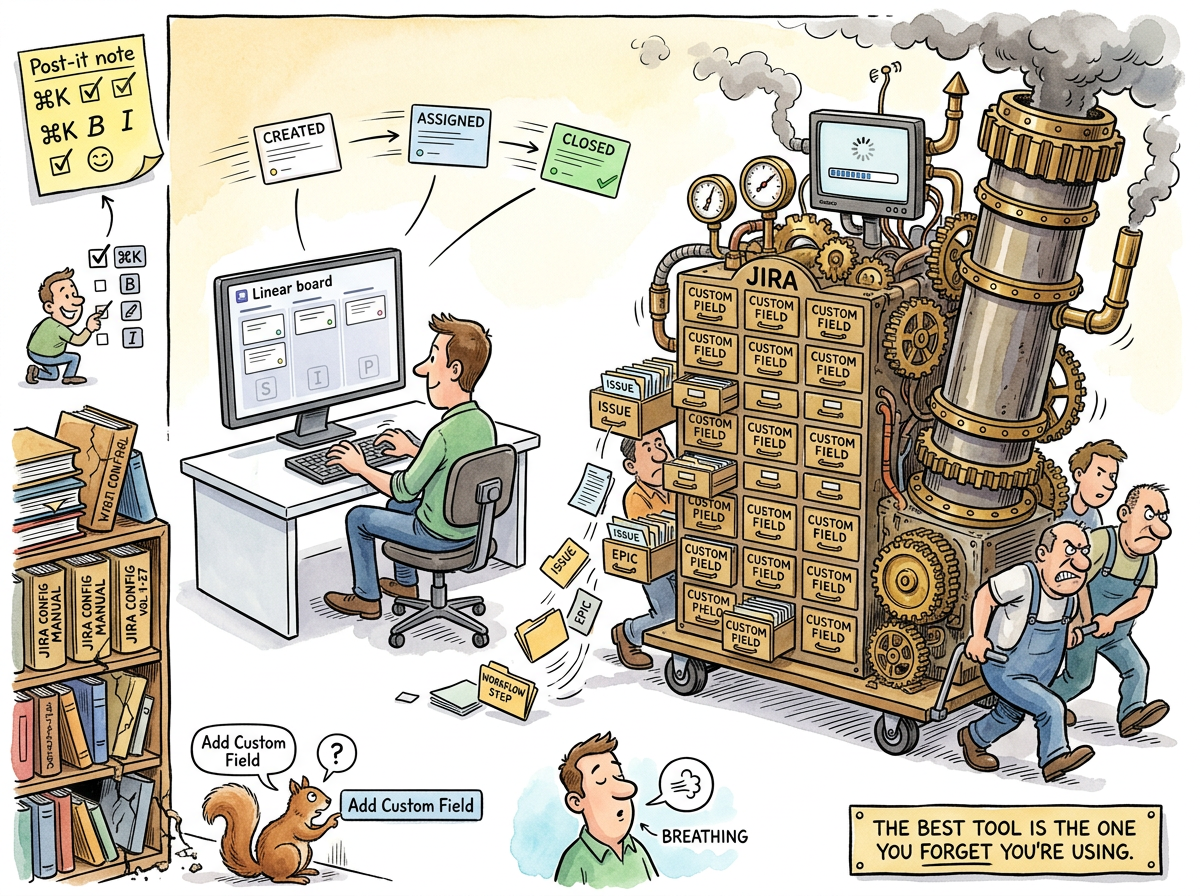
Linear is a project management tool that does less than JIRA and, by doing less, does more — a proposition so counterintuitive to enterprise software buyers that Linear’s primary sales obstacle is explaining why fewer features is the product, not the limitation.
Linear was created in 2019 by three designers from Airbnb and Uber who had, one must assume, spent enough years using JIRA to develop the specific kind of fury that produces startups. The tool is fast — not “fast for a project management tool” but fast, the way a native application is fast, the way a keyboard shortcut is fast, the way “press C to create a ticket” is fast compared to “click the blue button, wait for the modal, select the project, select the issue type, fill in the required fields, click Create.”
Linear’s design philosophy is: the tool should disappear. You should not notice the tool. The tool is not the work. The tool tracks the work. The moment you notice the tool, the tool has failed.
This is the opposite of JIRA, where the tool is noticeable approximately every seven seconds.
The Keyboard
Linear is keyboard-first. This is not a feature. This is a philosophy.
| Action | Linear | JIRA |
|---|---|---|
| Create ticket | C |
Click “Create,” wait for modal, select project, select type, fill fields, click “Create” |
| Move to In Progress | 2 |
Open ticket, click “Status,” scroll dropdown, find “In Progress,” click, wait for save |
| Assign to me | A then Enter |
Open ticket, click “Assignee,” search your name, click, wait for save |
| Search | Cmd+K |
Click search bar, type, wait, scroll results, realize you’re in the wrong project |
The difference is not seconds. The difference is friction. JIRA’s friction is constant — every action requires navigation, clicks, waits, and decisions about which of the fourteen workflow states is correct. Linear’s friction approaches zero — the keyboard shortcut does the thing, immediately, without navigation, without modals, without the JIRA admin having configured a screen scheme that determines which fields appear on which issue type in which project.
The Constraint
Linear does not have custom fields. Linear does not have configurable workflows. Linear does not have screen schemes, issue type schemes, permission schemes, or notification schemes. Linear does not have a JIRA admin, because Linear does not need a JIRA admin, because Linear does not have the configuration surface that produces JIRA admins.
This is a constraint, not a limitation. Constraints prevent the tool from becoming the process. When you cannot configure a fourteen-state workflow, you do not have a fourteen-state workflow. When you do not have a fourteen-state workflow, your tickets move from Backlog to In Progress to Done, and the simplicity of the tool enforces the simplicity of the process.
The Squirrel, confronted with Linear, reaches for the “Add Custom Field” button and finds it doesn’t exist. The Squirrel reaches for the workflow editor and finds it doesn’t exist. The Squirrel, for the first time, must operate within constraints, and the constraints produce the clarity that the Squirrel’s configurations never did.
The Lifelog Usage
In the lifelog, Linear is the backlog. Three states: Backlog, In Progress, Done. Tickets are created with C. Tickets are closed with D. The tool is invisible. The work is visible.
When AI agents consumed ten tickets per day and the backlog faced exhaustion, the tool’s simplicity was the reason the velocity was measurable at all. No workflow states to navigate. No required fields to fill. No JIRA admin to reconfigure. Just: create the ticket, do the work, close the ticket.
“Twenty tickets on March 2nd. Eight before lunch on March 3rd. Ten on March 4th.”
— The Idle Factory — The Morning the Backlog Ran Out of Ideas …
The counting was possible because the tool was simple. In a fourteen-state JIRA workflow, a ticket “in progress” might be in “In Progress,” “In Review,” “In QA,” “In UAT,” “Awaiting Deployment,” or “Deployed to Staging But Not Yet Verified in Production.” In Linear, a ticket is either done or it isn’t. The binary simplifies everything that follows.
The Enterprise Problem
Linear’s weakness is the enterprise procurement process, which evaluates tools by feature count. JIRA has more features. JIRA has more configuration options. JIRA has more integrations, more plugins, more dashboards, more reports. By every metric that procurement uses to evaluate software, JIRA wins.
By every metric that developers use to evaluate software — speed, simplicity, the feeling of not wanting to throw the laptop when updating a ticket — Linear wins.
These are different metrics. Procurement optimizes for the first set. Developers live with the second. The tool is chosen by people who will not use it, for people who will. This is Conway’s Law applied to tooling: the purchasing structure produces the tool that matches the purchasing structure, not the tool that matches the work.
“The mind that once thought in functions thought in org charts.”
— The Three Keyboards
The mind that once chose tools by how well they worked now chooses tools by how many checkboxes they satisfy on a procurement spreadsheet. JIRA satisfies every checkbox. Linear satisfies the developer. The procurement spreadsheet does not have a checkbox for “developer satisfaction.”
Linear Hygiene
The lifelog observes a small set of operational conventions concerning Linear, collectively known as “Linear hygiene.” These conventions are not enforced by the tool. They are enforced by the person whose backlog is on fire when they are not enforced.
The most-cited convention is that descriptions and milestones come first; tickets are filed at kickoff. The corollary is that it is widely considered impolite, in certain professional circles, to file Linear tickets before kickoff. The reasons for this are obscure, but appear to involve a deep cultural prohibition against committing to work one has not yet decided to do.
In practice the convention works as follows: when a project is being designed, the project’s description is iterated until it can stand alone, the milestones are named such that each represents a self-contained shippable thing, and only when work actually begins are tickets filed against the first milestone. Tickets that exist before the work begins are, on average, ten percent useful and ninety percent regret — they are written without the knowledge of what the work actually requires, and require continuous re-editing as the work clarifies itself.
“Don’t pre-file tickets; refine project descriptions and milestones, learn during execution.”
— Linear hygiene rule, observed across multiple projects
The Squirrel finds this rule deeply distressing. The Squirrel would like to file all the tickets, immediately, with detailed acceptance criteria, in order to feel that the project is “well-structured.” The Lizard, who has watched several Squirrel-filed ticket trees become outdated within forty-eight hours, has stopped pointing this out and now simply waits.
Linear’s design philosophy — the tool should disappear — extends naturally to ticket hygiene. A tool that disappears does not need every ticket prefiled, because the tool will not get in the way when the ticket is filed at the moment of kickoff. The tickets that exist are the tickets that are being worked on. The work that is being planned exists in the project description, where it belongs.
The Lizard’s Position
The Lizard does not have strong opinions about project management tools, because the Lizard’s project management tool is git log and the Lizard’s backlog is “the next thing that needs to exist.”
But if forced to choose, the Lizard would choose the tool that disappears. The Lizard does not notice its tools. The Lizard’s keyboard, its editor, its compiler, its deployment — they are transparent. The work flows through them without friction.
Linear disappears. JIRA does not. The Lizard would choose Linear the way it chooses SQLite over PostgreSQL clusters: not because it is more powerful, but because it is less noticeable.
The best tool is the one you forget you’re using. Linear is forgettable. This is the highest compliment a tool can receive.