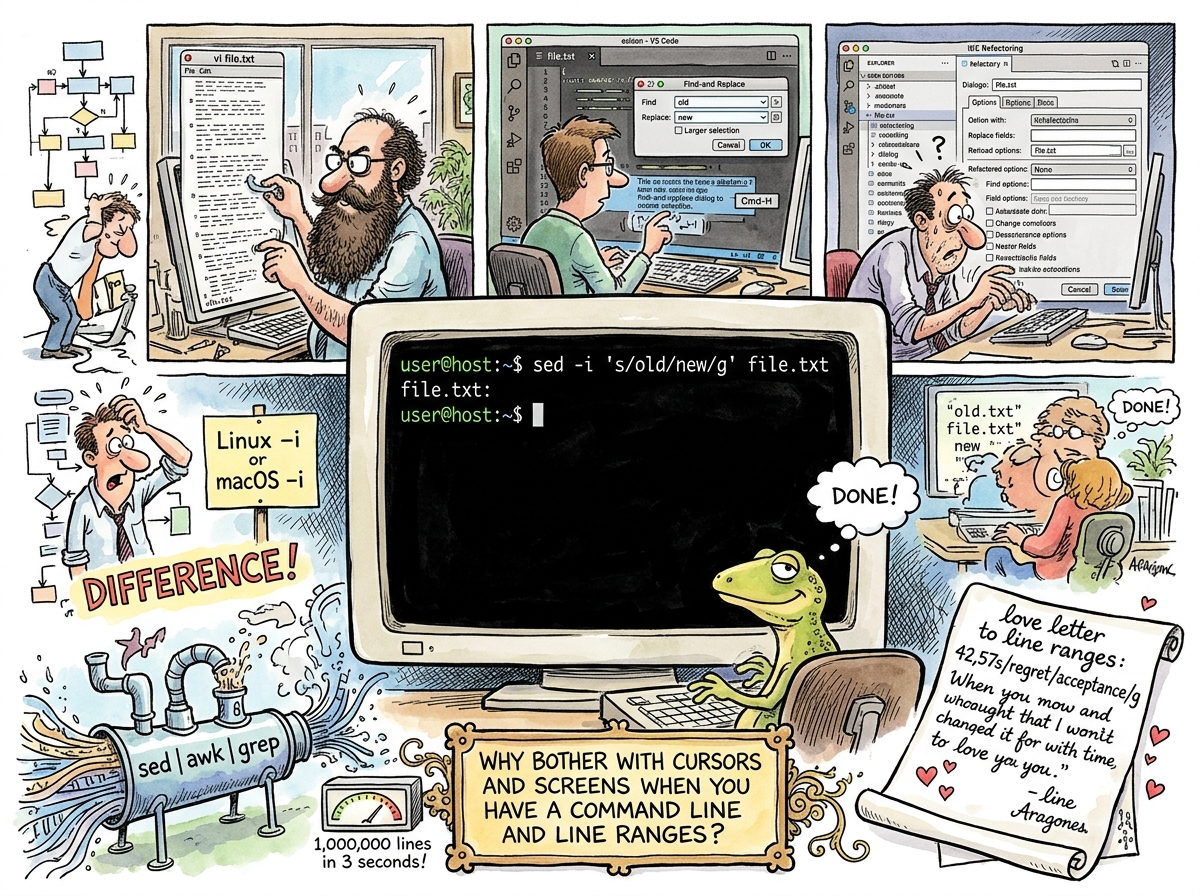
sed (stream editor) is a Unix text processing tool created by Lee E. McMahon at Bell Labs in 1974. It reads input, applies transformations, and writes output. It does not open a file. It does not display a screen. It does not provide a cursor. It does not wait for you to find the line. It does not need you to find the line, because you already know which line it is and what needs to change, and if you don’t, you have no business changing it.
sed is the editor for people who already know what they want to change.
“Why bother with cursors and screens when you have a command line and line ranges?”
— The Lizard, who has never needed to look at a file to edit it
The Lizard’s Favourite
sed is The Lizard’s favourite editor. This requires no explanation but will receive one anyway, because Yagnipedia is an encyclopedia and encyclopedias explain things even when the explanation is obvious.
The Lizard values simplicity. The Lizard values knowing what you want before you act. The Lizard values tools that do one thing, do it immediately, and do not require an interactive session, a configuration file, a plugin, or a screen.
sed is all of these things. You know the file. You know the line, or the pattern. You know the change. You type the command. The change is made. There is no intermediate state. There is no “opening the file.” There is no “navigating to the line.” There is no visual confirmation that the change was made, because if you typed the command correctly, the change was made, and if you did not type the command correctly, that is between you and your understanding of regular expressions, and sed is not going to hold your hand.
“A tool should not ask questions it already has the answers to. If I tell sed to change line 42, sed changes line 42. It does not ask ‘are you sure?’ It does not highlight line 42 in yellow. It does not show me a preview. I told it what to do. It did what I told it. This is the only relationship I want with a tool.”
— The Lizard, The Architecture Awakens
The Command
The canonical sed command is:
sed 's/old/new/' file
Substitute. Old pattern. New pattern. File. Four components. No ambiguity. The file is read, the pattern is matched, the replacement is made, the result is written. If you want all occurrences on each line, add g:
sed 's/old/new/g' file
If you want to modify the file in place, add -i:
sed -i 's/old/new/g' file
If you want to restrict to specific lines, add a range:
sed '42,57s/old/new/g' file
Lines 42 through 57. The substitution applies only there. The rest of the file is untouched. The developer did not need to scroll to line 42. The developer did not need to see line 42. The developer knew that lines 42 through 57 contained the pattern, and the developer was right, and the file is changed, and the developer has moved on.
This is the entire tool. There are advanced features — hold space, pattern space, multi-line processing, branching — that make sed Turing-complete, because Bell Labs engineers did not know how to build a tool that wasn’t Turing-complete. But for 99% of use, sed is s/old/new/g, and that is enough.
The macOS Problem
There is one well-known source of suffering in the sed community, and it is the -i flag on macOS.
GNU sed (Linux) accepts sed -i 's/old/new/g' file. BSD sed (macOS) requires sed -i '' 's/old/new/g' file — an empty string argument after -i, specifying no backup extension. Omit the empty string on macOS and sed interprets the substitution command as the backup extension and the file as the command and everything breaks in a way that is technically correct and practically infuriating.
This has caused more cursing per character than any other flag in Unix history. It is the -i flag’s only flaw, and it is not sed’s fault, it is BSD’s fault, and it has been this way since the 1980s and will be this way forever because backwards compatibility is a religion and this is one of its martyrs.
The Pipeline
sed’s power is not in sed alone. sed’s power is in the Unix pipeline:
cat access.log | grep 'ERROR' | sed 's/.*ERROR: //' | sort | uniq -c | sort -rn | head -20
Read the log. Filter errors. Extract the message. Sort. Count. Sort by count. Show the top twenty. This is not a script. This is a sentence. Each word (command) does one thing and passes the result to the next word. sed is one word in the sentence — the word that transforms.
The pipeline is the Unix philosophy made executable: small programs, each doing one thing, connected by pipes. sed is the smallest of the small — a transformation engine that needs no context, no state, no interactive session. It reads. It transforms. It writes. It exits. The next command begins.
“The pipeline is the only architecture I trust. Each stage is independent. Each stage is testable. Each stage is replaceable. sed is the easiest to replace, because sed does the least, and doing the least is doing the most.”
— The Lizard
sed vs vi
The difference between sed and vi is the difference between knowing and finding.
If you know what to change — the pattern, the line, the replacement — sed is faster. No opening. No navigating. No mode switching. One command, one result, done.
If you don’t know what to change — if you need to read the file, understand the context, explore the structure — vi is the tool. vi shows you the file. vi lets you move through it. vi lets you discover what needs to change.
The Lizard uses sed when the Lizard knows. The Lizard uses vi when the Lizard needs to look. The Lizard knows more often than the Lizard needs to look, which is why sed is the favourite.
Measured Characteristics
Year created:                            1974
Creator:                                 Lee E. McMahon (Bell Labs)
Core operation:                          s/old/new/g (substitute)
Characters in core operation:            depends on the patterns (usually fewer than the alternative)
Time to edit a known pattern:            seconds (no file opening, no navigation)
Time to learn:                           one afternoon for basics, one lifetime for hold space
Turing complete:                         yes (Bell Labs couldn't help themselves)
Features used in practice:               s/old/new/g and line ranges (the rest is showing off)
macOS -i flag:                           a source of universal suffering since the 1980s
The Lizard's favourite editor:           yes
Why:                                     simplicity, speed, no cursors, no screens, no questions
Interactive:                             no (this is a feature)
Configuration file:                      no (this is a feature)
Plugins:                                 no (this is a feature)
Screen required:                         no (this is a feature)
See Also
- vi — The editor for when you need to look. sed is the editor for when you don’t.
- Vim — vi with features. sed has not added features since 1974, which is why sed is still sed and Vim is still adding features.
- The Lizard — sed’s most devoted user. The Lizard knows the line number. The Lizard always knows the line number.
- Boring Technology — sed is boring in the way that gravity is boring: fundamental, unchanging, and still working after everyone stopped talking about it.
- VT100 — The terminal that sed does not need, because sed does not need a terminal. sed needs a pipe.