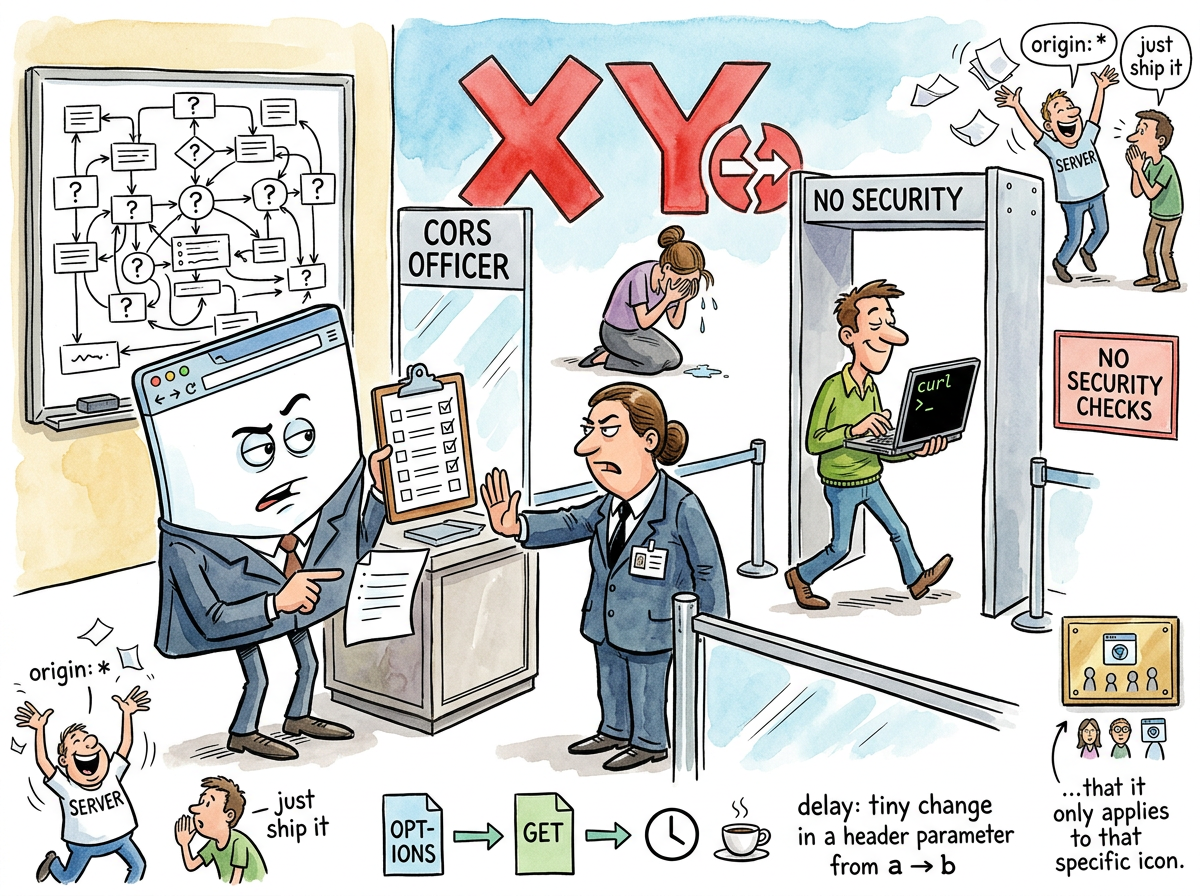
CORS (Cross-Origin Resource Sharing) is the browser security mechanism that prevents JavaScript on one domain from making requests to another domain, unless the other domain explicitly says it’s fine, which it always does, eventually, after the developer has mass-copied three Stack Overflow answers and added Access-Control-Allow-Origin: * to every response header on the server.
CORS is the most encountered error in web development. It is also the least understood. Every developer has seen a CORS error. No developer has read the specification on the first attempt and understood it. The specification exists. It is clear. It is also 47 pages long, and the developer’s feature is due in two hours.
“The purpose of CORS is to prevent malicious websites from reading data from other websites. The result of CORS is to prevent developers from reading data from their own websites.”
— The Lizard, after spending forty minutes debugging a localhost-to-localhost request
How CORS Works
CORS is simple. A browser makes a request to a different origin. The server responds with headers saying whether the request is allowed. If the headers are present and correct, the browser allows the response. If not, the browser blocks it.
That is the entire mechanism. It takes thirty seconds to explain.
It takes three days to debug because:
- The error message says the request was blocked but does not say which header is missing
- The server might be responding correctly but a proxy is stripping the headers
- The request might be “simple” (no preflight) or “preflighted” (preflight) and the developer does not know which category their request falls into
- The developer changed
Content-Typefromtext/plaintoapplication/jsonand this, inexplicably, triggered a preflight request - The preflight
OPTIONSrequest succeeds but the actual request fails because theOPTIONShandler adds CORS headers but theGEThandler does not
The error message — Access to fetch at 'X' from origin 'Y' has been blocked by CORS policy — contains exactly enough information to know something is wrong and exactly not enough to know what.
The Preflight Request
The preflight request is CORS’s most theatrical feature. Before sending certain requests, the browser sends an OPTIONS request to ask the server: “Would you accept this request if I sent it?”
The server responds: “Yes, I would accept that request.”
The browser then sends the actual request.
This is the TSA of the internet. A security check before the real thing happens, adding latency and complexity, preventing nothing that curl wouldn’t bypass in a single command. The preflight exists because browsers enforce CORS. Servers don’t. Any HTTP client that is not a browser — curl, Postman, wget, Python’s requests, a Go http.Client — sends the request directly, receives the response directly, and has never heard of CORS.
CORS does not protect servers. CORS protects browsers. Specifically, CORS prevents a malicious website from using your browser’s cookies to make authenticated requests to another website. This is a real threat. It is also a threat that could have been solved with less ceremony.
“I find it poignant that CORS only constrains the one client that tried to be responsible. Every other client ignores it. The ethical actor is the one who suffers.”
— A Passing AI, contemplating browser security
The Five Stages of CORS
Every developer encounters CORS in the same order:
- Denial — “This worked in Postman. The server is fine. This is a browser bug.”
- Anger — “WHY is the browser blocking MY request to MY server?”
- Bargaining — “What if I set
mode: 'no-cors'?” (This makes the response opaque. The developer cannot read it. The developer learns this the hard way.) - Depression — The developer reads three Stack Overflow answers, two blog posts, and the MDN documentation. Each says something slightly different.
- Acceptance —
Access-Control-Allow-Origin: *. Ship it. Move on.
Stage 5 is where 94% of CORS configurations originate. The wildcard allows any origin. This is technically insecure. It is also what every tutorial recommends. It is also what production servers run because the developer who configured CORS properly left the company in 2019 and nobody has touched the headers since.
The Squirrel’s Solution
“Just proxy everything through your own backend. Same origin. No CORS. Problem solved.”
— The Caffeinated Squirrel
This is, in fact, the most common production solution. Rather than configure CORS correctly, developers route all cross-origin requests through their own server, which forwards them to the target server. The browser sees a same-origin request. CORS is never triggered. The entire security mechanism is bypassed by adding one more server hop.
The proxy pattern works. It is also an admission that CORS, as a developer experience, has failed so comprehensively that the industry’s preferred solution is to avoid it entirely.
Measured Characteristics
Stack Overflow questions about CORS:        ~87,000
Developers who fully understand CORS:       ~200
Servers responding with Allow-Origin: *:    most of them
Preflight requests adding value:            debatable
Time to debug first CORS error:             2-6 hours
Time to debug second CORS error:            still 2-6 hours
curl users affected by CORS:                0
Postman users confused by CORS:             all of them
Proxies deployed to avoid CORS:             thousands
Specifications read in full:                dozens
See Also
- HTML
- JavaScript
- REST
- Stack Overflow
- Security
- curl