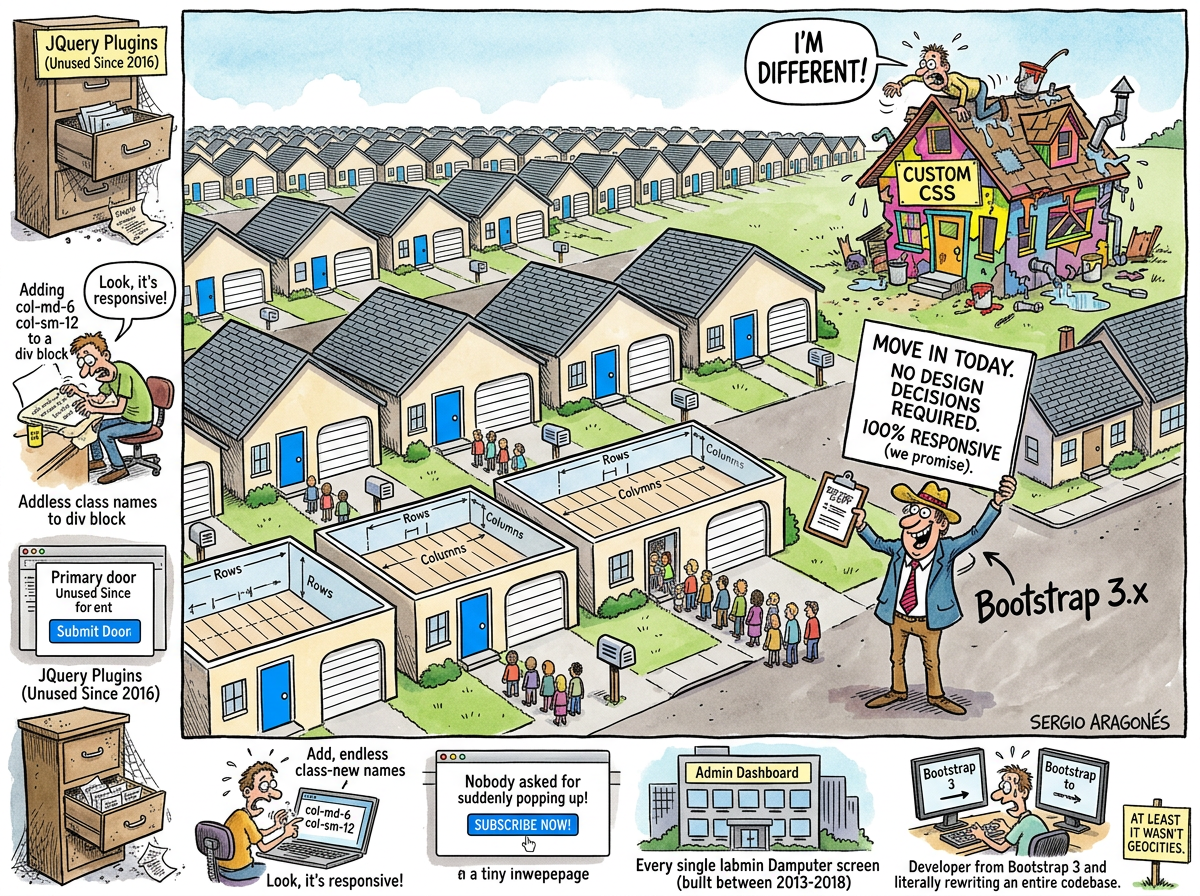
Bootstrap is a CSS framework created at Twitter in 2011 that solved the problem of “what should a website look like?” by providing a single, definitive answer: like this. Every website. The same. Blue buttons. Rounded cards. 12-column grid. Hamburger menu. Jumbotron hero section. Drop shadow on hover.
For approximately five years (2012–2017), this was not a limitation. It was a liberation. Before Bootstrap, a backend developer who needed a web interface had two options: learn CSS (expensive, time-consuming, results variable) or produce something that looked like a tax form rendered in Times New Roman (free, immediate, results horrifying). Bootstrap offered a third option: include one CSS file, add some class names, and produce something that looked professional — or at least, looked like Twitter, which in 2012 was the same thing.
The price was uniformity. Every Bootstrap site looked like every other Bootstrap site. But uniformity, it turned out, was a feature: users who had seen one Bootstrap site could navigate any Bootstrap site, because the buttons were always blue, the navigation was always top-bar, and the modals always appeared when you didn’t want them.
The Grid
Bootstrap’s most enduring contribution to web development is the 12-column grid system — a layout framework that divides the page into twelve equal columns and allows developers to specify how many columns an element should span at different screen sizes:
<div class="col-md-6 col-sm-12">
This means: six columns on medium screens, twelve (full width) on small screens. The developer does not need to understand media queries, flexbox, or float clearing. The developer needs to count to twelve.
The 12-column grid was not Bootstrap’s invention — grid systems existed in print design for centuries. But Bootstrap made grids accessible to developers who had never heard of Josef Müller-Brockmann and never would. The grid became so ubiquitous that “col-md-6” entered the spoken vocabulary of frontend developers, a class name that functioned as both code and conversation.
The jQuery Dependency
Bootstrap’s original sin was jQuery.
Bootstrap 3 required jQuery for its JavaScript components — modals, dropdowns, tooltips, carousels. jQuery was 87KB. Bootstrap’s JS was 37KB. The CSS was 121KB. A developer who wanted a styled button — a task requiring approximately zero JavaScript — downloaded 245KB of code, most of which existed to animate a dropdown menu that the application didn’t have.
This was acceptable in 2013 because jQuery was already on every page. By 2018, jQuery was on every page because Bootstrap was on every page. The dependency had become circular: jQuery existed because Bootstrap needed it, and Bootstrap needed it because jQuery existed, and neither could be removed because removing either would break the other, and breaking either would break every admin dashboard built since 2013, and those dashboards were running the enterprise.
The Era
The Bootstrap Era (2012–2017) produced a specific visual aesthetic that was immediately recognisable and instantly forgettable:
- Jumbotron: A massive hero section with a grey background and a call-to-action button that nobody clicked
- Panel: A bordered box with a header, which was replaced by “Card” in Bootstrap 4, breaking every template on the internet
- Glyphicons: A set of 250 icons that were just good enough to use and just ugly enough to regret
- Modal: A dialog box that appeared over the page, dimming the background, usually containing a confirmation question that the user had already answered by clicking the button that opened the modal
Every admin dashboard, every internal tool, every startup MVP, every hackathon project from this era looked identical. This was, depending on perspective, either the democratisation of design or its extinction.
The Upgrade Tax
Bootstrap 3 to Bootstrap 4 was not an upgrade. It was a rewrite.
Panels became Cards. Wells disappeared. Glyphicons were removed. The grid system changed from floats to flexbox. The class naming convention changed. btn-default became btn-secondary. pull-left became float-left. The migration path was: rewrite your HTML, retrain your team, and update every template in the application.
Bootstrap 4 to Bootstrap 5 removed jQuery. This was celebrated by the community and dreaded by the enterprise, because “removing jQuery” meant “every JavaScript interaction in every Bootstrap component must be rewritten,” and the enterprise had thousands of them, each written by a developer who had since left.
The upgrade tax is the hidden cost of every CSS framework: the framework’s versioning is your UI’s versioning, and when the framework breaks compatibility, your UI breaks with it.
The Aftermath
Bootstrap is not dead. Bootstrap is the COBOL of CSS frameworks: still running, still maintained, still powering applications that were built during the Obama administration and will be running during administrations not yet imagined. Bootstrap 5 is a perfectly capable framework. Nobody writes blog posts about it. Nobody gives conference talks about it. It has achieved the ultimate status of Boring Technology: so established that it is invisible.
The industry moved to Tailwind CSS, which solved Bootstrap’s uniformity problem by eliminating the concept of pre-built components entirely. Where Bootstrap said “here is a button, it looks like this,” Tailwind says “here are utility classes, build your own button.” The developer has more freedom. The developer also has more work. The trade-off continues.
Measured Characteristics
- Year created: 2011
- Peak cultural dominance: 2013–2017
- Grid columns: 12 (always 12, never 11, never 13)
- jQuery dependency size: 87KB (required to style a paragraph)
- Admin dashboards that look identical: all of them (2013–2018)
- Panels renamed to Cards in v4: all of them (breaking every template)
- jQuery removed in v5: yes (breaking every JavaScript interaction)
- Class name changes between major versions: dozens
- Developer time spent on Bootstrap upgrades: exceeds development time
- Bootstrap’s current status: invisible (the highest compliment)
- Websites still running Bootstrap 3: more than you’d expect